

Changelog
What's new in Bloks
Every release of Bloks for your computer, iPhone and Apple Watch, newest first, in the words it shipped with. See your team get a little more capable each week.
Bloks 3.0.0
Workspaces, the people you work with inside them, and a clear view of what your agents spend.
The desktop app is out now. The iPhone and Apple Watch update follows as soon as the App Store has it, and an Android app is coming soon.
The biggest release Bloks has had. Every part of your life with agents can now be a workspace of its own, each a whole Bloks with its own agents, memory, keys and rooms. A workspace can take people: send an invite, read the same four words, and they talk to your agents beside you, on your computer, within limits you set. A Usage page shows what every agent spent and puts a monthly line on your own API keys. And the app has a new shape, with answers drawn as cards, tables and charts instead of walls of text.
Security1
- Shared files could be read from outside an agent's folder (GitHub 318) Serving a file an agent shared checked its name, then opened it again by path. Something able to write in the agent's folder could swap the file, or a folder above it, for a link between the two, and the bytes would come from elsewhere on the computer. Bloks now opens the file once, refusing links on the way, checks that the open file is a regular file inside the folder, and sends its size and bytes from that same open file. Pasted images, skills, agent photos and memory, the app's own page, Move files and backups, and the desktop app's page proxy are read the same way. Reported by @ashottonoyan.
Headline features
Workspaces8
- A workspace for each part of your life Personal is the Bloks you already had. Add a Business workspace, or one with a name of its own, and each is a whole Bloks: its own agents, memory, keys, rooms, routines and settings. Nothing moves between them.
- The switcher The workspace you are in sits at the top of the window with its mark. Its menu lists every workspace, with a dot where something is waiting, then Join a workspace, New workspace, Workspace settings and Mute. Cmd+1 to Cmd+9 and the command palette switch too.
- Marks Choose a colour and pattern for any workspace of yours, from the Mac or the phone, or upload your logo; no two workspaces on the computer wear the same one. On a workspace you joined, the mark you pick is yours alone, and nobody else in it sees the change.
- In your order Hold a workspace in the switcher and drag it, or use Option and the arrow keys. The order is the same everywhere workspaces are listed.
- A start shaped by what you chose A new workspace opens on a short welcome that follows what you picked: inviting people for a team, its name and logo for a business, and nothing about members when it is just you.
- They keep working while you look elsewhere Each workspace runs its own server, so routines and watchers go on in the background, and their approvals and questions still reach you. The Dock badge counts every workspace.
- Mute and notifications, per workspace Mute one for 15 minutes, an hour, 3, 8 or 24 hours, or until you turn it back on. Choose whether it tells you about all activity, only what needs you, or nothing.
- Reachable online, per workspace With Bloks Cloud, each workspace has its own space and its own switch, so your phone and the people you invite reach it from anywhere. One Bloks key covers every workspace on the computer.
People in a workspace10
- Invite someone An invite is a QR code, an 8 character code you can read out, and a link that shows as an invite card in Messages, Slack and WhatsApp. It is for one person, works once and lasts a day. No email, and no account to make.
- Nobody gets in by accident With Approve each person on, which it is unless you change it, you and they read the same four words before they are in. Add a join password if you like: it is checked only on your computer, and five wrong tries close the invite.
- Roles You are the owner. Admins invite and manage people; members use the agents, rooms and memory.
- Team agents In a workspace with people, every agent has one shared team conversation. Choose who is in it: everyone, only some people, or everyone except a few. Rooms are chosen per room, everyone or picked people.
- Private one to ones Anyone who can reach an agent can also talk to it privately. Nobody else reads those unless you turn on "Owner and admins can read members' private conversations", and members are told which way it is set.
- Agents message people for you In a team conversation or a room, you or an admin can ask an agent to message someone ("message Sam about the draft"), and it writes in Sam's private conversation, marked as sent on your behalf. Members cannot do that to each other.
- Solo agents Members can make agents of their own, private to them, on the engines you allow.
- Limits per member Set what each member may spend on your API keys a month, their share of Bloks AI, how many solo agents they may make and which engines those use. A member at their limit is stopped, and nobody else notices.
- Join from the desktop app Join a workspace from the switcher with a link or a code. It opens beside your own as a member's app: the team agents you reach, your solo agents and your rooms. On the owner's own network you can join without Bloks Cloud at all.
- Members come with Bloks Team Inviting people into a whole workspace needs the owner on Bloks Team. If that lapses, members are paused, never removed, until it is back.
Conversations with more than two3
- Bubbles Rooms and team conversations draw every message as a bubble: yours on the right in your accent, everyone else's on the left with a face and a name. A chat with one agent stays as it was.
- Seen by Faces under the latest message show who has read how far, with names on hover. They show only where another person is in the conversation, never for agents.
- Your name Setup asks what your agents should call you, and Settings, General changes it. Bloks asks again before anyone else would see it, so no invite ever says "The owner". Two people who share a first name read as "Sam O." and "Sam K.".
Usage and spending limits4
- A Usage page A new place on the rail shows what your agents used over 7, 30 or 90 days or this month, as cost, tokens or turns, for every agent and engine or one of each: a headline against the span before, a chart by day, and a breakdown by agent, engine or day that narrows the page with a click.
- Spending limits on your own keys Put a monthly line on any engine that runs on an API key of yours. At the line, new turns on it pause, or go to the agent's backup engine, until you raise it or the month turns. A turn already running finishes.
- Estimates where an engine names no price Most APIs report tokens and no price. Bloks now prices those turns from a public list of model prices, fetched at most once a day, and marks them with a "~". A model it cannot price is never guessed at, and you can give your own price per million tokens instead.
- A notice before you run out The message box says "Approaching limit" or "Limit reached" when a Claude or ChatGPT plan window, Bloks AI or a spending limit is close, with the day it resets and View usage.
Your plan, and Settings rebuilt2
- A Plan page Settings, Plan shows your membership as bloks.dev has it: its status and renewal, what it includes and how much of that is in use, your key (masked, to copy, replace or remove) and where it can go next. Without a key it says plainly that Bloks is free with your own keys.
- Settings in one list Account, then Workspace, with which one beside it, then Agents, Integrations, Connections and Data. Search finds the very row a word lives on and takes you to it. The agent switches that crowded General have a page of their own, Behaviour.
Answers drawn as interface4
- Pages that look finished Every agent can read a built-in Page design skill before it makes a page, report, dashboard or deck someone will open as a file: the answer first, depth that follows what is at stake, and readable on a phone and in dark mode. Every engine is told its short form too. Most answers need no file, and an agent's reply to one it made is a sentence or two, not a copy of the page.
- Answers, not walls of text Agents can answer with cards, tables, charts, metrics, steps, tabs, forms and buttons, drawn as the reply streams. A click can answer the agent, open a page or change the answer itself, and nothing in an answer fetches anything. Switch it off for an agent with Interactive answers in its settings.
- Comparisons in the chat With Interactive answers on, a comparison, prices or options to choose between are answered in the chat as interface, not as a file or a list in prose, even where earlier replies in the conversation did it another way. A file is made when you ask for a page, a report or something to keep.
- Reply rules, read last The last thing every agent reads before it answers is a short How to reply: the answer in the first sentence, nothing extra nobody asked for, and a sentence or two when it made a file, since the card under the reply already shows it.
A terminal that goes where you want2
- Several shells per agent Up to eight terminal tabs each, renamed, restarted or cleared from a menu, with the cursor, scrollback and text size your way.
- Anywhere in the window Dock the terminal on any side of the chat, put it side by side with the chat, let it fill the window, or open it in a window of its own. Each side remembers its size.
Everything else
A new shape for the app13
- The main rail Chat, Overview, Automations, Memory, Plugins, Usage and Settings sit on a slim rail, beside the chat's own sidebar, which you can resize or fold away. Conversation tabs move up into the title bar.
- Every side list sizes and folds Settings, Plugins, Memory, an agent's settings and Automations' lists resize and fold like the chat's, edged with a faint line in the colours of the mark. Folded, Settings becomes tabs along the top, and Plugins and Memory a small switch at the top left of the page, where their list was.
- Overview reads as one page The morning brief as a short column with what waits on you first and a slim player for Listen, then Activity, Projects and Rehearsals.
- The composer One slim row at rest, with the approval mode, the model and effort, Codex speed and a ring for context and today's spend underneath. Notices share one tray above it, and Send becomes Stop.
- Replies read as prose Real paragraphs, lists and headings, and code coloured by language. Message actions sit in a quiet row that shows on hover.
- Approvals say what will run A card shows the command, file, diff or page plainly. Commands that can delete or overwrite work are flagged and get no shortcut, and an answered card folds into one line.
- Accent Pick an accent from the eight colours of the Bloks mark, for each workspace or the same everywhere.
- Making agents and rooms A new agent is three short beats, with a draft ready in about four seconds. Agent settings open as a full page. A new room draws itself as you pick its members, and any member can wear the crown and lead that room.
- Rooms show who is speaking , stream each member's reply under its name, and read a handoff as one line.
- First run, redone as a full screen: engines as a live checklist, suggested agents, and approvals shown on a sample task.
- Small things that add up Toasts, a proper confirm dialog, loading skeletons, a pill that jumps back to the latest message, starters for an empty conversation, and a command palette that lands on the message it found.
- Plugins Each app has a page with things to try, 27 more apps are in the list, and Connect asks for the key right where you are.
- The model menu is one grouped, searchable list, with readable names for models an engine lists only by id.
Memory3
- Memory is a place on the rail Shared memory every agent reads, About you, and every agent with how full its memory is, with a search, a journal of every change with its diff and undo, and copying notes from one agent to another.
- A nightly tidy Each agent's memory is tidied once a night: notes past their date go, and the rest is merged and tightened as checked edits. A night undoes as a whole, and the morning brief says what changed. Turn it off in Settings, Behaviour, or tidy now from Memory.
- Memory for agents on API keys They read and write their own memory too.
Agents at work6
- Messages while an agent works Automatic reads what you send mid-turn: a stop stops, a correction or an answer to its question goes in now, and the rest waits for the turn to end. Or choose Interrupt or Queue, per agent or for the workspace. A quiet line under your message says what happened, and one press goes the other way.
- An incident desk A turn that fails for good, a stalled call, or a routine, watcher or workflow that fails becomes an incident, handed to the room's lead, your most senior agent or the one you name, to retry once, pass on or tell you. An automation that fails three times running stops until you have a say, and the brief names what stopped.
- Rules from your habits Approve the same thing five times in two weeks, with no refusal, and Bloks offers it as a narrow rule, in the agent's tray and above your rules. Nothing that deletes, moves money or touches credentials is ever offered.
- Background work, your choice When an agent starts a subagent or a command in the background and answers before it is done, Let it finish (the default) keeps the turn open until that work is done and the agent has said what came of it; Stop when the reply is done ends the turn with the reply and stops it. Set it for the workspace in Settings, Behaviour, or for one agent in its own settings. A background subagent's notes no longer arrive as a reply after the turn has ended. Thanks @alexnayko (#331) and @rpavlovs (#325)
- Separate tasks, counted apart The agents' turn limit counts every turn agents start in a row without you. You can now allow a budget across separate tasks in Settings, Behaviour: an agent names the task it hands off, each task's own run counts against the limit, and the whole chain against the budget. Off unless you set it. Thanks @pycckuu (#326)
- Standing intents Words that come up in a conversation can post a note, bring an agent in or message one. Agents propose them and you approve them, in Automations, Intents.
Automations and connections6
- Routines and watchers read as sentences Tap a part to change it, see the week ahead, and start from a common one.
- The workflow editor is a full sheet : the flow drawn as a chain, earlier answers as named pills, conditions as a sentence, and Try it lighting each step as it runs.
- An agent can ask for its own Telegram bot Once it has made one with BotFather, it asks on a card that names it and the bot; you paste the token, which goes straight to its Telegram settings and is never shown to it. Thanks @alexnayko (#329)
- Full access for one person on Telegram In an agent's Telegram settings you can give someone you let in full access, after a confirmation that the conversation and memory stay shared, and take it back. Their turns stay theirs: only they add to them and only they answer their cards. Thanks @rpavlovs (#320)
- Saved secrets from any device Settings, Apps and keys, Saved secrets lists the secrets you saved for agents, by name, and forgets one, from the Mac or a paired device. Agents still cannot reach them. Thanks @alexnayko (#327)
- Connections as checklists Telegram, phones, Slack, Discord, WhatsApp and Bloks Cloud each set up as a short list of steps that tick as they happen.
Bring your history2
- Past conversations Find your Claude Code and Codex sessions and bring them over as conversations, from Settings or the first run, then carry one on from where it stopped.
- Move a workspace in one file Backups can write out a whole workspace, and an empty workspace can take one in. Keys never travel; the ones left behind are named.
Bloks AI1
- Agents with no key and no sign-in On a Bloks plan that includes Bloks AI, any agent can run on it, Claude Code included. Settings and Usage show what is left of the month as a meter, with top-ups, and a team can cap each member's share. Work nobody asked for, like the nightly tidy, uses it only when you switch that on.
iPhone and Apple Watch6
- With the iPhone app's own 3.0: workspaces in the sidebar, joining by link, QR or code with the same four words, a member's view of a workspace you joined, bubbles and Seen by, answers drawn natively as cards, tables and charts, Usage as a place of its own, and the usage notice in the composer.
- Location, if you turn it on Your iPhone can tell your own computer where you are, as a place in words, and as an exact position only if you choose that too. Your own agents hear it while it is recent, and a watcher can act when you arrive at or leave a place. Members, shared rooms, Telegram people and strangers' mail never get it. Pause keeps it from agents and watchers, Off or Forget drops it, and only the last reading is kept: never a history, and never in a backup. Thanks @rpavlovs (#322)
- Pairing that starts where you are Phone and devices walks you through your first phone, and a pairing code exists only once you ask for one. A paired phone finds your Mac again on its own when its address or port changes.
- Your other workspaces in a tap A phone paired with one workspace lists your others on that computer and adds one in a tap, where phone access is already on there. The computer tells you each time.
- Watch an agent work The phone shows an agent's browser or cloud computer live while it works, and you can take over with taps and typing. While an agent drives your Mac itself, the phone shows the Mac's screen, once Bloks has Screen Recording; that picture is yours alone, never an agent's or a member's.
- Notifications arrive from the agent with its face, Live Activities wear its colour, new widgets show who wants what, and Apple Watch answers approvals from your wrist.
Fixes12
- Approvals work wherever a workspace's folder lives When a data folder's path was too long for a socket, an engine's permission requests were refused with no card and no notice. They now go through a short private folder, and a turn that still cannot start says why.
- Folder watchers no longer wake on their own work A watcher whose turn renamed or filed what woke it read that as a new file and started the same work again.
- A command longer than thirty seconds no longer ends a steered Claude turn under it, and the next turn no longer resumes the same session in a second process. Thanks @alexnayko (#330)
- An engine switched off in Settings starts no turn An agent on it answers on its backup, or says why it cannot. Thanks @pycckuu (#324)
- Files attached on the Mac reach a workspace on another computer They are uploaded instead of named by their path on the Mac: files up to 20 MB and images up to 10 MB, and a larger one is refused with a sentence before anything is sent. Images over about 800 KB through Bloks Cloud work now too. Thanks @alexnayko (#332)
- A changed working folder applies to the agent's existing conversations The agent starts a fresh session there, told the conversation so far, and the chat says where it now works. Thanks @alexnayko (#328)
- An answer that does not fit is refused by name, not cut A table cell, quote, row or step past its limit used to be shortened or dropped while the agent was told it had worked; now the agent is told which field is over and by how much. Thanks @rpavlovs (#319)
- A Telegram request's reply stays attached until its turn really ends, however that turn ends. Thanks @rpavlovs (#321)
- Agents are clearer about what to keep in memory for later work. Thanks @rpavlovs (#323)
- The desktop app stays quick in long conversations Each tool call used to rewrite the whole conversation on disk, and the window asked the server again on every update; under load that froze the app for a quarter second at a time. Calls are now written together, and the window asks only when it needs to.
- A window that fails comes back If the app's page stops, it loads again, and after three times in a minute it says so with a Reload button. A part of the window that fails to draw shows a calm panel instead of an empty window. The app keeps a small local log, and crash reports stay on your computer.
- The brief keeps sentences whole A filename such as post.md, a version or an address no longer cut a sentence in two and lost the first half.
Upgrading7
- Your data becomes the Personal workspace, untouched
~/.bloksstays where it is, with everything in it: becoming a workspace moves nothing. New workspaces get folders of their own in the app's own folder.BLOKS_DATA_DIRmoves Personal's folder, andbloks-server's. - A workspace you join needs its owner on Bloks Team Without it, members are paused, with nothing deleted, until the owner's plan is back.
- People you shared a room with stay guests of that room They are not made members of the workspace and see nothing beyond the room.
- Settings moved, and old links still work Bloks Cloud is now Plan, the agent switches that sat in General are in Behaviour, and the Boat key is in Computers. A link to an old page opens the new one.
- Places moved to the rail The brief, Activity, Projects and Rehearsals are on Overview; routines, watchers and workflows are in Automations; memory is Memory; skills and plugins are Plugins.
- One key for every workspace The Bloks key you entered is kept once for the whole app, so putting another workspace online needs nothing typed.
- Your phone stays paired with Personal To have another workspace on it, add it from the phone's workspace list, under your computer, or pair it from that workspace's Settings, Phone and devices.
This release is better for everyone who took the time to report what went wrong, try a build or send code. Thank you to @rpavlovs, whose pull requests and careful reports shaped Telegram, the backup engine, location and much of how agents hand work to each other; to @alexnayko, for the reports behind attachments to remote servers, saved secrets, working folders, background work and the Telegram bot card; to @pycckuu, for the engine switch and the task budget; and to @ashottonoyan, for reporting the shared-file issue privately and giving us time to fix it.
Bloks for iPhone and Apple Watch 3.0
A new home, workspaces, and the people you work with in the same room as your agents.
Bloks 3 for iPhone and Apple Watch is with App Review, and reaches the App Store as soon as Apple approves it. Workspaces and joining need Bloks 3 on your Mac.
Workspaces6
- Every workspace in one switcher Every workspace you own, and every one you join, sits in a switcher at the top of the sidebar, each with its own accent.
- Join with a link, a QR code or a code Or the 8 character code. You and the owner read the same four words, and you are in.
- A member's view In a workspace you joined: your team conversations, your private ones, agents of your own, and what you have used.
- Members at hand Own one? Members shows who is asking to join, with roles and invites at hand.
- Your Mac's other workspaces in a tap Add them right from the switcher, wherever phone access is on, and your Mac tells you each time.
- Marks Choose a mark for any workspace you own. On one you joined, the mark you pick is yours alone.
Rooms and answers4
- Bubbles Rooms and team conversations draw every message as a bubble, with a face and a name.
- Seen by Faces show who has read how far.
- Answers drawn as interface Cards, tables, charts and forms you can tap, drawn by the iPhone itself right in the chat, never shown as code.
- Swipe to reply Swipe a message to reply to it.
Approvals3
- From the agent itself Notifications come with its face and the request in plain words.
- A card that says what will happen An approval opens into a card that says what will happen and how risky it is. Allow asks for Face ID first.
- Hold or Allow, wherever you are Answer from the notification, the Live Activity or your wrist.
A new home6
- A sidebar of places Today, Chats, Automations, Memory and search. Reorder it with a long press, and hold a pinned chat to unpin, rename or edit it.
- Today What waits on you first, then what is running, what is coming up, and this morning's brief, read aloud with its own player.
- Agents and Rooms in one toggle One glass toggle between them, and a compose screen that works like a new message.
- New agents Make one from a role or a sentence, with a live preview.
- Accent Pick an accent from the eight colours of the Bloks mark.
- Usage What your agents used has a page of its own.
Live Activities and widgets2
- The Dynamic Island It wears the agent's colour, says what it needs in plain words, and lights up the moment work turns into a question.
- New widgets Small, medium and large, plus one for the Lock Screen, showing who wants what.
Apple Watch2
- Approvals on your wrist With the agent's face, and an Allow you can feel.
- Complications and the Smart Stack They lead with who needs you.
Also new7
- Pairing that starts where you are Pairing walks you through your first Mac, and your iPhone finds your Mac again by itself when its address or port changes.
- Watch an agent work See its own browser or cloud computer live, and take over with taps and typing.
- A notice before you run out The message box says when a usage limit is getting close.
- Your name Set once, and shown to everyone you invite.
- Location, if you turn it on Your own agents can know which city you are in, and a watcher can act when you arrive somewhere. It goes only to your computer.
- Rooms that hire A new room can hire the agents it needs, right where you make it.
- A layered app icon Light, dark, tinted and clear looks.
Bloks 2.11.0
Open what an agent shares, video included, pause an engine for a while, choose Codex Fast, and hear from your agents only when it matters.
New8
- Open shared files anywhere A file card, a link or a path an agent writes now opens the in-app viewer, for files in folders and files that were already there, not only new ones. Video plays in place, with seeking. An agent can put any file on this computer into the chat with
bloks share. Thanks @rpavlovs (#310) - Pause an engine or a model for a while In Settings, Engines, pause an engine, a model or a whole family until a time you choose, for every agent or a few. Work for it waits and goes on its own when the pause ends, or moves to the agent's backup. An agent can pause itself for up to a day, never another agent. Thanks @rpavlovs for the idea (#305)
- Codex Standard or Fast Choose the speed for the workspace and per agent. Standard runs Codex exactly as before; Fast is checked with Codex before a turn starts, and only you can set an agent to Fast. Thanks @rpavlovs (#313)
- Fewer, better notifications A reply is announced once, when its turn is over, instead of for every message along the way. Questions, a goal waiting on you and an engine that is out still interrupt; turn-limit holds stay in the conversation. Codex's running commentary in a turn another agent started folds into the work row instead of filling the chat. Thanks @rpavlovs (#302, #315, #314)
- People on Telegram get their own turns Someone you let in talks to your agent in a turn of their own, on Claude Code, with no access to your notes, memory or Bloks' files, and only you approve actions. Thanks @rpavlovs (#275)
- Agents can read your settings Ask an agent how something is set and it can look, credentials shown only as set or not, including settings that live on your paired phone. Thanks @rpavlovs (#311)
- Lock screen activities that end on time With Bloks Cloud, a Live Activity for a turn you started, from the phone or the computer, now ends when the turn does, even with the phone locked.
- An agent's last change is kept for its report After its twelve changes in a turn, an agent can still send one direct message to another agent, and a retry gets the same receipt. Thanks @rpavlovs (#306)
Fixed1
- Smaller fixes Bloks finds Ollama where
OLLAMA_HOSTpoints (#309). Engine installs find a real shell whenSHELLis missing (#307). Thanks @TheProtagonist07. Context readings come from the engine that answered (#300), replies can use a wider transcript (#301), short conversations fill with earlier history (#304), Telegram replies keep the message they answer (#317), and one-shot summaries run apart from your sessions (#299). Thanks @rpavlovs.
- Open shared files anywhere A file card, a link or a path an agent writes now opens the in-app viewer, for files in folders and files that were already there, not only new ones. Video plays in place, with seeking. An agent can put any file on this computer into the chat with
Bloks 2.10.0
Your agent goes back to its own engine as soon as it can, Cmd+Enter stops and sends without losing a word, and commands show in tool rows with their secrets hidden.
New5
- Back on the own engine sooner When an engine has hit a usage limit, Bloks now tries it again now and then on a real message instead of waiting for the reset, so access that comes back early or a top-up ends the backup's stay. The agent is told why its backup answered and whether the own engine is being tried. Thanks @rpavlovs (#294, #298)
- Cmd+Enter (Ctrl+Enter) stops the running turn and sends your message after it It no longer joins the turn being stopped, a message typed meanwhile waits behind it, and a send that fails is kept to restore instead of disappearing. Thanks @rpavlovs (#295)
- Commands in tool rows, secrets hidden Tool rows show the command an agent ran, with keys, passwords and tokens masked in many more forms than before. Members of a shared room see only the tool's name. Thanks @rpavlovs (#287)
- The agents' turn limit is a setting How many turns agents may start in a row without you is in Settings, from 1 to 50, twelve unless you change it. Thanks @rpavlovs (#297)
- A backup can be another model on the same engine The backup picker now offers the agent's own engine's other models.
Fixed1
Bloks 2.9.0
A failed turn is asked again and then handed to your backup engine, agents remember your standing instructions, and Telegram sends just the answer.
New3
- Your standing instructions survive a long conversation When older messages are summarised to make room, the summary now keeps what you told the agent to use or avoid, in your words, and no longer drops what you said late in a long stretch. Thanks @nattapongcoin-source (#277)
- Telegram sends the final answer, and short notes as it works The reply is the agent's last word instead of everything it wrote joined together, notes arrive as silent messages and are cleared when the answer comes, and a turn that ends without a reply sends why. Thanks @rpavlovs (#285)
- Agents can take back a message still waiting for another agent with
bloks take-back, when a correction comes too late. Thanks @rpavlovs (#283)
Fixed2
- Failed turns recover on their own A turn that fails for any reason is asked again once, and then handed to the agent's backup engine with the conversation so far. A turn a provider declined on safety grounds is asked again in a new session, so the agent is no longer stuck refusing every message after it. When the backup has answered, the agent goes back to its own engine in its own session after a while, told what it missed. Each turn after a failure is told what failed, so the agent can tell you. Thanks @rpavlovs (#284)
- Stopping a Codex turn no longer reports an error Thanks @rpavlovs (#286)
Bloks 2.8.2
Restores unpack into folders of their own, and spent one-time routines make room at the limit.
Fixed3
- One-time routines no longer fill the limit A routine that runs once stays on the books afterwards, switched off, and still counted toward the fifty you can have. Fifty of those refused every new routine with nothing left that could run. At the limit, the one that ran longest ago now makes room. A routine that can still run is never dropped. Thanks @rpavlovs (#276)
- Two restores in a row, again A second restore staged in the same second used the first one's unpacked folder and cleared it. Each now unpacks into a folder of its own, and the one left behind is cleared when a restore is put in place. Thanks @ashottonoyan (#273)
- The restore log names the right folder After a restore that had to set the old workspace aside under another name, the log pointed at the folder that was already taken. It now names where the workspace really went. Thanks @ashottonoyan (#274)
Bloks 2.8.1
A stop right after sending is honoured, and restores in a row both go through.
New1
- Stop works from the first moment A conversation shows "working" as soon as you send, but the engine starts a little later, once the turn has what it needs. A Stop, or Esc, pressed in between was lost: the turn started anyway and ran on. It now ends there with a line saying it was stopped before the agent had started, and whatever was waiting behind it goes next. Redo of a message the agent had only just been handed no longer waits twenty seconds and refuses. Thanks @ashottonoyan (#272)
Fixed1
- Two restores in the same second The folder a restore sets the old workspace aside in was named to the second, so a second restore inside that second failed, and its note made every later start fail the same way. Each restore now takes a name of its own, and a note already stuck on a taken name is applied beside it. Thanks @ashottonoyan (#271)
Bloks 2.8.0
Each agent gets its own Telegram bot, a room mention is never dropped without a word, and Relaunch to update is sturdier.
New4
- A Telegram bot for each agent Paste a BotFather token into an agent's settings and that agent answers on Telegram as itself. An agent without a token is not on Telegram, and one bot cannot be given to two agents. You pair yourself as the owner by sending a one-time word to the bot in a private chat. If you already use Telegram: your bot moves to the agent it was answering as and keeps working, and the app asks for the pairing word once more so the bot knows who its owner is. This is the first of three steps toward letting other people talk to your agents on Telegram. Thanks @rpavlovs (#270, #256)
- A room mention that is held says so When agents have passed a room along three times in a row without you, the next mention used to be stored and then quietly go nowhere. The room now gets a line saying who named whom and that nobody was woken, and you carry on by posting. The count also belongs to the turn that is speaking, so an agent's unrelated new turn no longer inherits an old room's count and loses its mention. Thanks @rpavlovs (#268)
- Relaunch to update is sturdier Every step between the button and the restart now has a time limit, and none can stop the next, so the app always goes on to exit and let the installer run. If Bloks comes back on the version it left, the update card says the update did not install and offers to try again or get the installer from bloks.dev, instead of showing the same button as if nothing had happened. On a Mac, restarting no longer fetches again a release that is already waiting, which could race the installer. Each step is written to the updater log. Thanks @pycckuu for the report (#267)
- An empty question is refused An agent that calls
ask_userwith no question gets an error it can correct, instead of opening a card with nothing to answer. Thanks @rpavlovs (#269)
Fixed1
Bloks 2.7.0
Finished turns fold into one line, Esc stops the agent, and editing a message it already read redoes it from there.
New8
- A finished turn folds into one line While an agent works you see everything, as before. Once the turn ends, the work on the way folds into one line above the reply, such as "Worked 8 min · 27 steps · 4 files", with who asked when it was not you and the agents it messaged. Click the line to open the work in place, Undo included. Your own words, the reply, cards that still need you and files it made stay outside. Thanks @rpavlovs (#257)
- Esc stops the agent With the composer in focus, Esc stops the working agent and keeps what you have typed. Menus and dialogs still close first. Thanks @rpavlovs (#258)
- Redo a request you got wrong Edit a message the agent has already read (↑ in an empty composer opens your last one) and the main button is now Redo: it stops the agent, takes back that turn and the files it changed, and sends your corrected words. A line under the box says what will be taken back before you press it. "Save words only" changes the text and nothing else, as before. Thanks @rpavlovs (#258)
- Questions stay answerable Picking an option on a question from Claude Code, putting a question aside, or typing on an approval card could close the card as "unavailable" while the agent went on waiting, and Enter then seemed to do nothing. Every answer now reaches the engine that asked. A card that closed because nobody answered in time, or because the turn ended, stays in the conversation and says why, and Telegram offers a question's own choices instead of Allow and Deny. Thanks @mixo44 for the report (#254)
- A message queued during an update says so It reads "sends when Bloks is back from restarting" instead of pointing at a turn. Thanks @rpavlovs (#252)
- Agents can edit their own watchers
bloks edit-watchchanges a watcher's instruction, target, name, interval, filter or conversation and keeps its id and history. A changed check command needs your approval again. Thanks @rpavlovs (#253) - A switch for shared-folder change cards Settings, General, "Show files changed beside a turn". Off hides the card for a turn that changed no files of its own; cards for its own files stay. Thanks @rpavlovs (#264)
- Plan usage on your paired devices When Bloks runs on another computer, the plan card on the composer's ring now shows in the Mac app and other devices you paired. Agents and people in shared rooms still cannot read it. Thanks @rpavlovs (#259)
Fixed3
- The context ring measures against your compaction line With compaction before a turn switched on, the ring, its card, the sidebar and Activity show how full a conversation is against the line where Bloks will compact it, and the card still names the model's full window. Thanks @rpavlovs (#260)
- Smaller things A finished goal's chip goes away by itself (#261). The working hint says what Enter does: it tells the agent without stopping it (#262). Telegram's "Working" line is silent, so your phone sounds for the answer (#263). A table wider than the chat fades at its cut edge, and agents are told to keep cells short (#265). All four thanks to @rpavlovs.
- Fixes - An agent's
blokscommand run inside a sandbox with no network access said only "fetch failed". It now says network access is required and to run the command again with it allowed. Thanks @mixo44 (#251) - A turn's own file edits are recognised as its own when its folder is reached through a link. - A summary after a turn that fails to arrive is asked for again.
Bloks 2.6.1
Files from Telegram reach your agent, Restart to update installs the newest release, and you hear when agents stop to wait for you.
New4
- Videos, audio and documents from Telegram Files you send your bot now reach your agent as saved files with their captions, up to the 20 MB Telegram allows bots. Anything bigger gets a reply suggesting a shorter clip or a smaller file, and your agent is told what did not arrive. Thanks @rpavlovs (#249)
- Restart to update installs the newest release If another release came out after an update downloaded, Bloks fetches that one before restarting, so you no longer restart twice in a row. It also keeps checking every few hours while an update waits. Thanks @pycckuu for the report (#247)
- Word when agents stop at the limit When agents have started twelve turns in a row without you, the conversation they stopped in is marked unread, your phone is woken, and the notice says how many turns were counted and who wrote last. A routine or watcher held at the limit now says so in its conversation too. Thanks @rpavlovs (#248)
- Watchers refuse overlong text instead of cutting it An instruction, folder, page or feed longer than 1,000 characters is refused with a clear message, rather than saved with its end missing. Thanks @rpavlovs (#250)
Bloks 2.6.0
Agents that keep going, check-ins that stay quiet, and memory that carries across conversations
New7
- Goals Type
/goaland say what done looks like, and the agent keeps working turn after turn until it is done, stuck, or out of turns. Add a check likepnpm testand it only counts as done when the check passes. Pause, resume or clear it from the chip above the composer. - Check-ins A routine can run every 30 minutes or every few hours, only within the hours and days you choose. When nothing needs you the agent answers quietly: no badge, no notification, and a run of quiet check-ins folds into one line. Each run also remembers what the last real one reported.
- Agents remember across conversations Before your turn, an agent looks through its other conversations and its memory files for what is relevant and brings up a few short notes. "Recalled 2 notes" under your message shows exactly what it was given. Search across conversations is ranked the same way. You can turn it off per agent or everywhere.
- Backups Your whole workspace is backed up every day, and you can back up any time, seal a backup with a passphrase, check it, and restore it from Settings or
bloks-server restore. A restore takes a fresh backup first and never deletes what it replaces. Keys go only into a sealed backup. - Bring your setup Already using Claude Code, Codex, OpenClaw or Hermes? Bring their instructions, skills and tool servers into Bloks from Settings or the first run, after reviewing each item. Nothing leaves your Mac and no keys or passwords are copied.
- Telegram feels native Approve or answer a card with a tap, get the files a turn made sent back to the chat, and see what a long turn is working on.
- Safety - A security checkup in Settings shows what can reach your keys, your screen and your agents, with a fix for each. - A turn that keeps making the same call is flagged, so a stuck agent is easy to spot and stop.
Fixed1
- Fixes - Applying a rehearsal follow-up no longer reverts work you did in the real folder meanwhile. - Undo keeps working when other turns are photographing their folders at the same time. - Each agent's browser is its own, never another agent's signed-in one. - Cookie import works again with current Chrome, Brave and Edge. - If the server stops unexpectedly the app brings it back, and quitting ends every engine. - On a phone, a tap no longer deletes a conversation, and message actions open with a tap. - A reconnect no longer leaves a half-written reply behind, and conversations open at their last line. - Workflow runs that are still going are never dropped, and a failed meeting write-up can be tried again. - Many smaller fixes and polish across the app.
- Goals Type
Bloks 2.5.37
Saved files that stay safe when they can't be read, change cards that show only each turn's own work, and tidier webhooks
New7
- Security: connector keys stay off the command line Up to 2.5.34, Claude Code was started with its MCP settings in its command line, where other programs on the computer could read the Composio key and any MCP server headers. 2.5.35 moved them into a private file, and this release adds a test that keeps them there. If you used Composio or an MCP server with a token on 2.5.34 or earlier, rotate that key. Thanks to @rpavlovs for reporting it privately.
- Saved files are never written over after a failed read If a conversation, your agents or your settings can't be read for a moment, Bloks now says which file and waits, instead of starting empty and saving over it. A damaged file is kept aside, and a file a scanner or backup is holding is tried again first (#245, thanks @rpavlovs).
- Memory Undo never deletes a file it couldn't read An edit or Undo over a memory file that can't be read now stops and says so (#246, thanks @rpavlovs).
- Change cards show each turn's own files When agents share a folder, a card lists only what that turn edited. A turn that ran commands beside another still tells you the folder changed (#241, thanks @rpavlovs).
- Webhooks - An event in your main conversation is marked as the webhook's, not shown as something you wrote (from #242, thanks @rpavlovs). - Webhooks that start a workflow now survive a restart (#244, thanks @rpavlovs).
- Mail from senders you haven't listed keeps to its own conversation even after you rename it.
- Routines and watchers an agent sets up count toward the twelve-turn limit, so an agent can't keep itself going through them.
Fixed1
Bloks 2.5.36
See how full a conversation is, one conversation per agent, and safer mail and agent-to-agent messages
New8
- A context ring in the composer Hover it (or tap on a phone) to see how full the conversation is, from each engine's own numbers, and how much of your Claude or Codex plan is left before each limit resets (#224, #232, thanks @rpavlovs).
- One conversation per agent by default New routines, watchers and webhooks run in the agent's main conversation unless you name another, so your messages and its background work share context. What you already set up keeps running where it does, and the conversation tabs only show once an agent has more than one (#237).
- Agents can see when a teammate cannot answer
bloks agentsandbloks saynow say when a teammate's engine is not signed in, out until a time, or unavailable (#239). - Codex skills and /compact in the slash menu, and Codex's own compactions show in the chat (#231, thanks @rpavlovs).
- Routines say they are routines An agent now hears when a message came from its routine rather than from you (#240, thanks @rpavlovs).
- Safer by default - Mail from addresses you have not listed is answered in a conversation of its own and in words only, the way a guest in a shared room is: no tools, none of your apps, secrets, notes or past conversations. Agents on Codex or another engine with a shell leave it for you; list the senders you trust under Email in Settings. - Agents passing messages back and forth, through rooms or the job board too, stop after twelve turns and wait for you. - An agent cannot raise its own seniority (#236, thanks @rpavlovs).
- Compaction gets ten minutes A long Codex or Pi conversation is no longer moved to a new session because its compaction took more than five minutes (#234).
- Updates The computer use driver is now 0.34.
Fixed1
- Agents can correct work in progress
bloks say <agent> --nowputs a correction into the turn already running, when your agent started that turn or may stop it (#238).
Bloks 2.5.35
A reliability release: turns that fail settle cleanly, saves survive a crash, and the app holds its trust boundaries tighter
New4
- Safer by default - Only the app's own window now counts as the app. A page from another local port, or a sandboxed page such as an agent's HTML artifact, is treated like any other website. - Your approval rules about commands and files now apply to Codex, Gemini CLI, OpenCode, Grok and Pi, and check every file a request touches. - An agent can only schedule routines for itself. - Saved secrets can no longer use names the system reads for itself.
- Engines - The backup takes over when Pi reports its limit a moment after an empty reply (#233). - A slow Codex or Pi compaction no longer cuts off or leaks into the next reply (#234). - Room speakers wait for each other however long a turn runs.
- The app - Errors show wherever you are. - A message that fails to send comes back to the box. - Drafts stay with the conversation they were written in. - A conversation opened on another device shows its own messages. - Quick Ask tells you when a message did not send.
- Telegram A very long line no longer stalls the server.
Fixed2
- Turns that fail before they start no longer leave things hanging A workflow step, job, routine or email whose turn could not start is now marked failed instead of staying "running", and two turns can no longer start in the same conversation at once.
- Your settings and rooms survive a crash Saves are written whole, and a file that will not open is kept aside instead of being saved over.
Bloks 2.5.34
Long Codex conversations resume in seconds, one Stop button, and Claude Code commands in the slash menu
New4
- Long Codex threads keep their session Reopening a long Codex conversation used to download its whole history and read it slowly enough to time out, so the agent moved to a new thread and its turn reported no tokens. It now asks only for the thread's state, reads large replies quickly, and the new turn reports its own usage (#230, thanks @rpavlovs for the measurements).
- Faster for every engine Very large messages from any engine are now read in a fraction of the time, so one long reply no longer slows every other agent down.
- One Stop, and dictation while working The composer has a single Stop button, the header one is gone, and the mic stays available while an agent works (#227, thanks @rpavlovs).
- Claude Code commands in the slash menu Typing
/in a Claude Code agent's chat now offers Claude Code's own commands, bundled skills, plugin skills and MCP prompts, and a command such as/compactruns as its own turn (#228, thanks @rpavlovs).
2.5.33 was tagged but not published: a test that hung on the release build is fixed in this one.
Bloks 2.5.32
Archiving really stops an agent, long conversations stop eating your limits, and Telegram answers survive a restart
New8
- Archive stops the work An archived agent no longer starts tools from a turn that was already on its way, every way of archiving interrupts what is running, and nothing it asks for afterwards is allowed. Its routines and watchers pause without losing their settings, and Restore brings them back with a note saying which ones (#220).
- Long conversations compact before the next turn A conversation close to its engine's window is compacted first (Claude Code, Codex and Pi each in their own way), so a tool-heavy turn stops resending a huge context on every step. The threshold is in Settings, next to Compact while idle (#222, #223).
- A bounded handoff for a new session Switching engines, a backup taking over, or a session that could not be resumed now gets a summary and the recent messages instead of the whole conversation.
- Context sizes read right Codex conversations no longer all read 100% full, and every engine's own window is used where it reports one (#224).
- Telegram answers come back after a restart A message sent to the bot while Bloks was restarting now gets its answer in the same chat (#225, thanks @rpavlovs).
- Better voice transcription OpenAI voice messages use gpt-transcribe, which is cheaper and more accurate (#221, thanks @rpavlovs).
- Room archive errors are shown If archiving a room fails, Bloks says so and puts the room back (#226).
- Updates Electron 44.7, motion 14, lucide-react and posthog-js.
Bloks 2.5.31
The backup takes over at Claude's session limit, your words reach a running turn, and Telegram replies arrive whole and formatted
New7
- Backup at Claude's session limit Claude Code started saying "You've hit your session limit", and Bloks didn't read that as running out, so the backup never took over and the notice showed twice. It does now. The reset time is read in the zone Claude names, so Claude comes back when it actually resets, and a message from another agent still goes back to that agent when the backup answers it.
- Talk to a turn while it runs What you send in the middle of a turn, from the app, the phone or Telegram, now reaches Claude Code or Codex after the step it is on, instead of waiting for the whole turn to finish. Other engines, and messages from agents, webhooks and routines, wait for the next turn as before (#213, thanks @rpavlovs).
- Telegram replies arrive whole Long answers are split into as many messages as needed instead of losing their tail, and bold, code and labelled links are formatted instead of showing as asterisks and brackets (#211, #212).
- Telegram keeps your caption When a photo or voice message can't be taken, its caption still reaches your agent, with a note that something is missing. Downloads that time out are tried once more, and a voice message keeps its caption (#210).
- Telegram shows "typing" While your agent works on a message from the phone, the chat says so, and it pauses while the agent waits on you (#214).
- Change cards stay with their turn A message that waited behind a turn no longer lands between that turn and its change card (#207).
- Idle compaction leaves the sidebar alone An agent's row keeps its last message and time instead of showing the compaction marker (#206).
Thanks to @rpavlovs for detailed reports on all of these.
Bloks 2.5.30
New1
- A Pi engine that runs out hands the turn to your backup (#204). When Pi hit its daily limit it went quiet: your message was ignored, with no error and no switch to the backup you had set. Pi's limit is now recognised the way Claude's subscription limit is, so the turn goes to the backup engine, and you are told that it did.
Bloks 2.5.29
New8
- Bloks Cloud says why it is not connecting Cloud only runs while phone access is on, and phone access starts off on a new install, so a key could be accepted while nothing connected, and the screen just said "Waiting for the relay to answer." The Bloks Cloud screen now says when phone access is off, with a button to turn it on, and when the connection cannot come up it shows the reason. A connection held back by a proxy or an antivirus that inspects secure connections is now reported after a minute instead of waiting silently.
- Work survives a stop A turn cut off when Bloks stops, whether by an update, a crash or a reboot, picks up where it left off when Bloks starts again (#191). Before an update restarts Bloks, running turns finish and anything new waits for them (#192). A Claude subscription limit now hands the turn to your backup engine instead of ending it (#190).
- Engines change without stranding anything A turn running when its engine's settings change carries on with the new engine instead of leaving the lane busy (#201). An engine updated while an agent is working on it shows its new models once that work finishes, without a restart (#202). Changes to an agent's memory or your notes no longer throw away a resumed Claude session's prompt cache (#200).
- Compactions show in the chat , and a setting (off by default) compacts quiet Claude Code conversations before their cache expires (#189).
- Queued messages wait above the composer and join the chat when they reach the agent (#195). On a phone, messages use the full width again (#196).
- Telegram takes voice messages and photos and passes them to the agent; anything it cannot pass on gets a reply saying so (#194).
- Cards and files Table cards span the conversation, keep their columns readable and can hold links (#184, #187). Markdown files open rendered, with a toggle for the source (#183).
- Rooms and agents An agent's
bloks sayinto a room shows as the agent and only wakes who it names (#182). Agents on full access, and Codex agents, can ask you for a key (#185). Removing a watcher closes its conversation (#186).
Fixed1
- Fixes Codex turns count only their own tokens in Usage (#180). Skills are limited to 16,000 characters in any language, with a count as you write (#179). Routine prompts can be 4,000 characters, and a longer one is refused rather than cut short (#178). A routine filed without
--daysruns every day (#177). Phones through Bloks Cloud show when they were last seen (#176). Settings shows the pair link for the Bloks app beside the browser link (#175). Native logs roll over at 20 MB and keep their last three gzipped (#181).
Also in this release, everything since 2.5.25. Thanks to @rpavlovs, @pycckuu and @ashottonoyan for the reports behind almost all of it.
Bloks 2.5.25
New5
- Your sidebar keeps the order you give it (#156, thanks @rpavlovs). Every section, and the list at the top, now reads: pinned rows first, in the order you drag them, then everything else by recent activity with you. Your own messages, and replies, questions and approvals that need you, move an agent up; agents talking among themselves, routines and watchers do not. Drop a row at a place among the pins to pin it there, or lower to leave it sorting by activity. Pins, their order and the section order are kept with your workspace, so every device shows the same list. Rooms start pinned. Agents can read and set it too, with
bloks sidebar,bloks pinandbloks unpin, andbloks hire --pin --at. While the mouse is over the sidebar it holds still, so a row never jumps as you click it. - What you edit in a queued message is what the agent gets (#155, thanks @rpavlovs). A message waiting behind a running turn was copied when it was queued, so an edit never reached the agent and a deleted one was sent anyway. The queue now reads each message as it stands when it goes. Double-click your queued message to edit it in place; while the editor is open the queue waits for you. Send now in a queued message's action bar stops the running turn so the queue goes straight away.
- Keyboard shortcuts (#154, thanks @rpavlovs). ⌘, opens Settings, and on macOS there is now a real app menu with Settings… in it. ⌥↑ and ⌥↓ move through the sidebar, ⌥⇧↑ and ⌥⇧↓ jump to the next one unread or waiting on you, Ctrl+Tab switches back through recent conversations (hold Ctrl and keep tapping Tab to go further), ↑ in an empty composer edits your last message, and ⌘/ shows every shortcut. The ⌘K palette lists commands with their keys. Ctrl in place of ⌘ on Windows and Linux.
- Change cards claim only their own edits in a shared folder (#153, thanks @rpavlovs). When two agents work in one folder at the same time, a turn's card used to claim everything that changed, and its Undo would have put back the other agent's work. A turn that overlapped another now keeps as its own only the files its engine said it edited; the rest are listed apart, "Changed while Linus was working here", and Undo leaves them alone. A turn that ran alone is unchanged.
- The native log stops repeating Codex's history (#157, thanks @rpavlovs). Codex hands back the whole conversation each time a lane resumes its thread, and the untranslated copy wrote it out on every turn: one server found 8 GB of it. A resumed thread is now logged with its turn count instead, every other line is unchanged, and existing logs are slimmed once in the background after startup.
- Your sidebar keeps the order you give it (#156, thanks @rpavlovs). Every section, and the list at the top, now reads: pinned rows first, in the order you drag them, then everything else by recent activity with you. Your own messages, and replies, questions and approvals that need you, move an agent up; agents talking among themselves, routines and watchers do not. Drop a row at a place among the pins to pin it there, or lower to leave it sorting by activity. Pins, their order and the section order are kept with your workspace, so every device shows the same list. Rooms start pinned. Agents can read and set it too, with
Bloks 2.5.24
New5
- OpenRouter reaches every lab (#151, thanks @Efoxa). Signing in with OpenRouter offered Gemini and the free models and nothing else. OpenRouter lists about thirty Google models that can use tools, and the model list ranked labs in order and then cut at 28, so Google filled every place. Every lab now gets a turn before any lab gets a second, newest models first, so the picker has Gemini, Claude, Grok, GPT, Kimi, Llama, DeepSeek, Qwen and Mistral, then the free models. OpenRouter's
:batchcopies of a model that is already listed are left out. - Agents find the CLI after Bloks moves (#150, thanks @pycckuu). Agents were told the CLI's install path, which changes when Bloks moves, for example from a standalone
bloks-serverinto the app. A resumed session went on running the old copy: an agent reaches first for commands it has already run, and Claude Code before 2.1.257 keeps a session's first system prompt. Agents now run it asnode "$BLOKS_CLI", which Bloks sets on every turn, so the command stays right wherever Bloks lives. A session that was told the old way hears the new one once, at the start of its next turn. On Windows the path is still written out, since some engines there run PowerShell. - Every message has its time (#149, thanks @pycckuu). Messages in an agent chat show when they were sent, under the bubble, with the date for an earlier day, in your own locale's format. A run of bubbles in the same minute says it once. The line above a conversation says Today, Yesterday or the date instead of always Today. A queued message now records when it went to the agent and reads "Queued at 9:41 AM, sent at 9:44 AM". Rows between agents and speaker times in rooms carry the date too.
- Drag an agent into a section (#152, thanks @rpavlovs). Drag an agent or room onto a section, its heading or any row in it, to file it there; the section lights up while you hover. Drop it at the top to take it out of its section. A folded section takes the drop and stays folded. A click still opens the row, Move to section stays in the menu, and dragging a heading still reorders sections. The pin on a pinned agent now trails its name, so names line up.
- Your phone and your computer say which version they run The paired devices list in Settings shows the Bloks version on each phone, and
/api/healthreports this app's version and what it can do for a phone, so the iPhone app can tell you when your computer needs an update instead of showing an error.
- OpenRouter reaches every lab (#151, thanks @Efoxa). Signing in with OpenRouter offered Gemini and the free models and nothing else. OpenRouter lists about thirty Google models that can use tools, and the model list ranked labs in order and then cut at 28, so Google filled every place. Every lab now gets a turn before any lab gets a second, newest models first, so the picker has Gemini, Claude, Grok, GPT, Kimi, Llama, DeepSeek, Qwen and Mistral, then the free models. OpenRouter's
Bloks 2.5.23
New5
- Stop stops (#146). Stop used to send one SIGTERM to a Claude Code turn and wait. A process stuck in a tool call could ignore it for hours, with the conversation on working and every new message queued behind it. Stop now escalates to SIGKILL after three seconds, and if the process still has not let go, the turn ends anyway. A turn you stopped no longer reports an early exit.
- A tool call gone silent ends its turn (#146). When a call is open, nothing is waiting on your approval, and the engine has said nothing for the limit, Bloks ends the turn and names the call, for example
Bash (ls ~/Library/CloudStorage/Dropbox/...) made no progress for 15 minutes. The agent hears why at the start of its next turn, so it does not walk straight back into the same wait. Thinking, writing and commands that keep reporting are never cut short. The limit is in Settings, General: 5, 15 (the default), 30 or 60 minutes, or never. - Cloud folders can ask (#147). Dropbox, Google Drive, OneDrive and Box keep their files behind a macOS file provider, and macOS asks before an app reads them. Bloks now declares why it would, so macOS has a prompt to show when an agent reads a cloud folder. If you answered no earlier, or a read still hangs, run
tccutil reset FileProviderDomain dev.bloks.appin Terminal and macOS asks again. - Agents can retire the agents they hired (#148).
bloks archive <agent> "what was finished"archives a teammate the caller hired, once nothing is left for it: no turn running, no queued messages or open questions, no claimed job, no routine, watcher or webhook on, no unfinished workflow run. Anything left refuses the archive and is listed, never cancelled. The archived list shows who archived it and the note, and Restore brings it back. - Agents' About and skills reach resumed sessions (#145, thanks @rpavlovs). Claude Code 2.1.265 and later keep a session's first system prompt when it resumes, so an edited About, new skills, or a room's recent conversation did not reach a running conversation. Bloks now asks Claude Code 2.1.257 and later to rebuild it each time. Older versions already did.
Bloks 2.5.22
New4
- One Bloks server per data folder (#140). If
bloks-serveris already running on this Mac, opening Bloks no longer starts a second server on the same~/.bloks, where each overwrote the other's changes (agents reverted or missing, two engines on one message). The second server refuses to start, and the app says Bloks is already running and where, so you can use that one or stop it first. A lock left by a crash is taken over automatically. - Routines start from their next slot (#142). A routine created or retimed after its time today waits for tomorrow, instead of running at once for a time that was before the change.
- Agents can stop an agent they lead (#141).
bloks stop <agent> "why"interrupts the current turn of an agent the caller hired, or one it outranks in a room they share, and the reason is the next thing that agent hears. A message to a busy agent now says it waits for the current turn. - Agents can read more of what they need (#143, #144). A recall hit cut short says so, and
bloks recall --id <message>reads it in full.bloks history <room>reads the recent messages of a room the agent is in.
- One Bloks server per data folder (#140). If
Bloks 2.5.21
Four fixes and two additions, all from detailed reports.
New5
- Claude Code turns end where they really end (#134). On
--resume, Claude Code can first settle something the last session left running and report an empty result before it answers. Bloks took that as the end of the turn: the agent showed idle mid-answer and its messages to other agents failed. The turn now ends on the result that follows the answer. - Usage shows what Claude Code turns actually cost (#137). Claude Code reports its session's running total with every turn, and Bloks was adding that total each time, so costs in Usage (and shared-room spend) were many times too high. Each turn now adds only its own share. Figures already recorded are not changed.
- Recall tells another agent's words from yours (#136).
bloks recallnames the agent (with its id) when another agent said something, and marks members of a shared room as members, so only your own messages read as yours. - Watchers can speak in a named conversation (#138).
bloks watch ... --thread General(or the new field in Watchers) delivers the watcher's turn to that conversation, made if missing and queued if busy, so work an agent started in the background is picked up where its context is. bloks fresh(#139). An agent can start a fresh engine session in its current conversation once the turn ends, keeping the transcript, for when a long session has grown expensive.
Fixed1
- Watchers no longer lose a change while you hold the agent (#135). A watcher does not look while a person holds its agent, and a change counts as seen only once the turn it calls for has started.
- Claude Code turns end where they really end (#134). On
Bloks 2.5.20
New1
- Earlier messages load as you scroll up (#133). In a long agent chat or room, scrolling up near the top now brings in the next page on its own, whether it is already on this computer or still on the Mac through Bloks Cloud, and keeps the message you were reading in place while the older ones arrive above it. It loads one page at a time, only while you are scrolling up, and stops at the start of the conversation. The "Show earlier messages" button stays for the keyboard and screen readers.
Bloks 2.5.19
New2
- One-time routines for agents (#130).
bloks routine --date 2026-10-08 --time 09:00 --prompt "…"files a routine that runs once, for "check whether the supplier answered on Thursday". A date that has passed or does not exist is refused on the spot.bloks routinesnow lists what is scheduled with when each runs next, one-time ones with their date, andbloks unroutine <id>drops one. Agents can now change and drop only their own routines. - Checks: a cheap command before waking an agent (#131). A watcher can now be a check:
bloks watch --check "python3 scripts/supplier_replied.py" --every 30 --do "A supplier replied; read it and decide the next step". The command runs on schedule in the agent's folder without the model; exit 0 means there is something to do (what it printed goes to the agent), exit 1 means nothing. The first look is a baseline and the same finding twice in a row is not news, so a turn is spent only on something new. A check is stopped after 30 seconds, its output is capped, a few run at a time at most, and the existing watcher limits still apply. It runs with your saved secrets but never the agent's workspace credential. Because nobody approves each run, a check an agent writes waits for you to approve its command in Watchers before it ever runs, unless that agent already runs commands without asking, and only for as long as it does.
Fixed1
- Restarts no longer replay old queued messages (#129). A message sent to a busy agent waits for the turn to finish; if Bloks restarts first, it is sent once afterwards, as before, but only if it was queued in the last 12 hours by this version. Anything older, or queued by an earlier version (whose age nobody can know, and which that version may already have answered), is marked Not sent in the chat with a Send again button instead of running on its own. It is taken out of the queue for good, so a later restart does not consider it either, and engines never see it as part of the conversation.
- One-time routines for agents (#130).
Bloks 2.5.18
Webhooks that never get lost, and imports that keep their engines
New4
- From the community (thank you, @ashottonoyan and @rpavlovs)
- A webhook never says "got it" and then drops the event An event that arrived while its agent was busy used to get a success reply and then vanish. Now it waits and goes in the agent's next turn, up to 20 events or 100 KB per agent. Past that, or when the agent is on hold or has no engine, the sender gets a clear "try again" (503) or "check the setup" (409) before anything is recorded. A success reply now always means the event will be handled. (#124, #126, #127)
- Waiting messages survive a restart A message that was waiting for an agent to finish its turn when Bloks stopped now runs when Bloks starts again, instead of staying "waiting" forever. This applies to your messages, other agents' and webhooks'.
- An imported agent runs on the engines it ran on Importing an agent now applies its main engine and its backup engine when this workspace has them, instead of the workspace default with no backup. The preview also says that routines, webhooks and watchers stay behind, so you know to set them up again. (#125)
Fixed1
- Fixes
Bloks 2.5.17
An agent's own replies, shown in full
New3
- Nothing an agent says to you gets folded away When another agent's message started an agent's turn, what it then wrote in its own chat was shrunk into a "Replied to ..." row, as if it had been sent back to that agent. It wasn't, and it was often a question for you. These replies now show in full, with a small "After a message from ..." link to the exchange above them. (#123)
- The compact rows mean what they say "Message from" and "Messaged" rows are only for messages actually sent between agents. The exchange view marks anything an agent said in its own chat as just that, not sent.
- No dot for nothing An agent turn started by another agent that finishes without saying anything to you no longer marks the chat unread.
Bloks 2.5.16
Long turns keep working, and the sidebar is yours to arrange
New8
- Long turns keep their access An agent working on one turn for more than an hour (an hour of research in a browser is normal now) used to lose its access to Bloks partway, so it couldn't deliver what it found. Access now lasts as long as the turn runs, and still ends the moment the turn does. (#122)
- Remote mode remembers your sidebar On a Mac connected to another computer, folded sections, the sidebar's width and closed cards reset on every relaunch. They're now kept. (#119)
- The sidebar
- Reorder sections by dragging Drag a section heading to put your sections in the order you want, or use Alt with an arrow key. Until you do, they stay alphabetical, and a new section joins at the end. (#120)
- Agents can file agents An agent can hire straight into a section (
bloks hire --section) and file a teammate into one (bloks file). It can change a teammate's section and nothing else of theirs. (#118) - Models and approvals
- The Claude model list says where it comes from Claude Code can't list models, so the list ships with Bloks; the picker now says so. It also offers Latest Opus, Sonnet and Haiku, which always mean the newest model in each family, and you can type any model id into the search box to use it. A saved model that isn't in the list shows as itself, flagged, instead of looking like the default. (#121)
- Clearer approvals in each agent's settings The agent's Approvals card now shows all four modes with their full descriptions, the same as onboarding and Settings, and no longer says rules apply in every mode: they do in Ask first, Accept edits and Auto, and Full access skips them. (#117)
Fixed1
- Fixes
Bloks 2.5.15
Know when there's a new version
New2
- A relaunch prompt in the sidebar When a new version of Bloks has downloaded, a small card above the sidebar's footer says so, with a Relaunch button. No more digging through Settings to find out. Close it and it stays away until the next version. In the collapsed sidebar it's a single relaunch button.
- Updates reach you even if you never quit Bloks now checks for a new release every few hours while it's open, not just at launch, so leaving it running for days no longer means missing updates.
This prompt starts with the update after this one, since the version you're updating from doesn't have it yet.
Bloks 2.5.14
Agents talking to agents, without the noise
New4
- Compact rows for agent-to-agent messages A message from another agent no longer looks like something you wrote. It shows as a small "Message from QA" row, and the agent that sent it shows "Messaged QA", including whether it was queued or not delivered. (#116)
- The whole exchange, one click away Any of those rows opens everything the two agents said to each other, both directions, with names, times and the conversation each message is in.
- Replies to other agents fold away What an agent answers another agent collapses into a "Replied to ..." row. Questions and approval cards still show in full, whoever asks, and anything said in a turn you started stays in the chat.
- Agents know who's writing An agent receiving a message is now told which agent sent it and how to answer.
Bloks 2.5.13
General stays put, and each conversation minds its own business
New10
- From the community (thank you, @LandonSchropp and @pycckuu)
- General is cleared, not closed An agent's first conversation, General, can no longer be closed, only cleared. Messages, the phone app, rooms and background work all route through it, so it now keeps its place while emptying when you want a fresh start. Every other conversation closes as before. (#110)
- The agent's row is General With "Show conversations" on, the agent's own row in the sidebar now stands for General, its other conversations are listed beneath it, and "Clear conversation" is in the agent's right-click menu. (#111)
- Agents' messages to each other land in General One agent messaging another without naming a conversation now reaches its General, not whichever conversation you last opened. (#115)
- "Working" means this conversation The header, the typing dots, Stop and the message box now follow the conversation on screen, so another conversation running no longer makes an idle one look busy. (#108)
- Mark as unread sticks Marking the conversation you're reading as unread now keeps the dot until you leave it and come back. (#114)
- Agents can close their own conversations
bloks closecloses the conversation an agent is in, once its turn there ends. General is never closed this way. (#109) - Drop a file anywhere A file dropped anywhere in the window attaches to the conversation on screen, not only one dropped on the message box. (#112)
- The header keeps its line when the conversations are in the sidebar. (#113)
- Pairing with the app and bloks-server on one computer A pairing link made by one of them can now be spent through the other, which fixes fresh links reading as "already used". (#107)
Fixed1
- Fixes and small wins
Bloks 2.5.12
Bloks Cloud recovers on its own after a re-activation
New4
- Cloud follows a re-activation If you run the app and a headless
bloks-serveron the same computer, activating Cloud in one of them used to leave the other knocking on a retired space until you restarted it. Now it picks up the new tokens and reconnects by itself. (Running just one of the two is still the better setup.) - Clearer Cloud errors When Bloks Cloud no longer recognises your computer, usually because Cloud was activated again with the same licence, the status and the pairing page now say so, instead of "That link was already used or has expired".
- The engine banner can be dismissed Every "isn't signed in" or "isn't ready" banner now has a close button. OpenCode is no longer reported as signed out when it's answering on its free models with no provider connected. (#103)
- Dependency updates Analytics and type packages are up to date. (#104, #105)
- Cloud follows a re-activation If you run the app and a headless
Bloks 2.5.11
A security fix, a pile of community fixes, and steadier remote replies
New13
- Security
- An unrecognised credential is refused A request from the same machine that carried an Authorization header the server did not recognise was treated as if it had no header, so it got the owner's local access. It is now refused with 401. Found, fixed and reported privately by Roman Pavlovskyi (@rpavlovs). Thank you, Roman. Please update.
- From the community (thank you, @grantterra and @rpavlovs)
- A better model picker It scrolls with long catalogs, opens at the model you picked, wraps long names to two lines with the full name on hover, and has a search box for engines with more than eight models. (#92, #96, #97)
- Pi uses the model you pick Bloks now switches Pi's model the way pi-acp expects, stops the turn with an error if a switch is refused, and full access no longer turns Pi's thinking off. Pi's startup listing no longer shows up as the start of a reply. (#93, #94)
- Windows npm-installed engines such as Pi now start, and no console window flashes when an engine runs. (#91, #95)
- Codex A model picked mid-conversation now takes effect on the next turn, and a turn the provider refuses says why instead of ending in silence. (#100, #101)
- Rooms A room message for an agent that is mid-turn now waits and is delivered when its turn ends, and archived rooms are left out of the MCP room list. (#87, #99)
- Late permission requests are answered A Claude Code background task that asked for permission after its turn ended was logged as allowed but never answered. It now gets its answer, and a decision that cannot be delivered is said in the chat instead of being recorded as allowed. (#102)
- Replies through Bloks Cloud stay put A streamed reply no longer disappears when the turn ends or shows twice. (#89, #90)
- Change cards leave ignored files out Logs and build output your repository ignores are no longer listed, and Undo no longer touches them. (#88)
- Apply keeps your later edits to big files A rehearsal's Apply no longer overwrites a large file you changed after it began. (#86)
- A rename sticks A slow answer to a conversation action no longer puts an agent's old name back. (#85)
Fixed1
- Fixes
Bloks 2.5.10
Small things, smoother
New5
- No false "No agents yet" The sidebar used to show it for a moment on every launch while your agents loaded. Now it waits for the list.
- A real empty state A workspace with no agents used to show a spinner that never stopped. It now explains what an agent is and offers a button to make your first one.
- No developer instructions The connecting screen no longer tells you to run a developer command.
- A tidier streaming cursor While a reply is arriving, the cursor now follows the last word instead of sitting on a line of its own.
- The right name for your computer Two settings pages said "this Mac" on every computer. They now name the machine you're on.
Bloks 2.5.9
Bloks starts on Windows again
Bloks 2.5.8 didn't open on Windows from a shortcut. The port handling in 2.5.8 started the server in a way that crashes on Windows when the app has no console window. This release also fixes an older problem where the server wouldn't start if a folder above the install folder had a
package.jsonsaying"type": "commonjs", which is common in home folders. Thanks to @grantterra for tracking both down (#82).New11
- The MCP connector follows every conversation
- Replies come from the right place
ask_agentnow says which conversation your message went to and reads the reply from there. Before, it only read the conversation open in the app, and could report "still working" while the answer sat in another one. You can also pick a conversation withlane. read_conversationtakes a conversation too, and defaults to the one you just used.list_agentslists each agent's conversations and whether each is working or waiting on you.waiting_on_mesays which conversation each item is in.read_messageopens one whole message Search results now include an id for it.- Approvals you can always find
- Opening an agent goes to a waiting conversation first If one of its conversations is stopped on a question or an approval, opening the agent goes there before any unread one.
- Pointers from the chat A chat also tells you when another of that agent's conversations is waiting on you.
- Credit and limit problems get your attention When an agent can't answer because its engine is out of credit, over a limit or signed out, its conversation gets an unread dot and you get a notification.
- Plugin hooks per agent
If you hand work to your agents from Claude Code through the Bloks connector: A new switch in an agent's settings runs Claude Code without your plugin and settings hooks for that agent. Some plugins add their own text at the start of every session, and the agent can mistake it for instructions. Thanks to @carlmumford for the detailed report in #81.
Bloks 2.5.8
Bloks starts even when its port is taken
Bloks used to give up if another program was using its usual ports, and it didn't say which port or why. Now:
New6
- It finds a free port A busy port is skipped straight away. If all the usual ones are taken, Bloks uses any free port instead of failing.
- It remembers the port that worked, so your paired phone keeps finding your Mac.
- You can choose a port Add
"port": 9123to~/.bloks/config.json, which works however you open the app.BLOKS_PORTworks when starting from a terminal. - It says what went wrong If Bloks still can't start, it lists each port it tried and which program holds it. If the server itself crashed, it shows the error instead of blaming ports.
- Helper tools follow along The command-line tools and the Claude Desktop connection find Bloks on whichever port it ends up on.
- Clear message for
bloks-serverWhen its port is busy, it now says so in a sentence instead of printing a stack trace.
Settings also stops checking chat and local VM status while the window is hidden. Thanks to @grantterra for #80.
Bloks 2.5.7
Know when an engine is out of date
If a new model isn't in your list, the engine's command-line tool is usually older than the model. Bloks now checks for new releases of Claude Code, Codex, Gemini CLI, OpenCode and Pi. It checks shortly after it starts and every six hours after that, and tells you where you pick models:
New5
- A dot marks it A small dot appears on an engine that has a newer release, in the model list and on the model button itself.
- You see both versions The model list shows which version is out and which one you have.
- One button updates it Update installs the new release in the same place the current one lives. The new models then appear, once no agent is in the middle of work.
- Settings, Engines shows the same on each engine.
- Engine settings from the model list
The model list now has an Engines button in its bottom-right corner, which opens Settings on the Engines page. That's where you connect, sign in to or update an engine.
Bloks 2.5.6
Start fresh now starts fresh
Choosing Start fresh during setup brought your old workspace straight back, and it also removed your keys and engine connections. Now:
New5
- Your agents, rooms and conversations move into a dated folder next to your workspace. Nothing is deleted, so you can move them back.
- Your API keys, engines, Bloks Cloud and paired phones stay set up.
- Bloks restarts into the fresh workspace, and setup runs again.
- If it can't move the workspace, it says so and changes nothing.
- Cloud computers now run on Boat
The cloud-computer service Box has moved to Boat at boat.dev, and its old address stopped working. Creating, waking and using an agent's cloud computer works again. So does handing a whole turn to an agent that runs on its own computer. Settings now ask for a Boat API key, and a key you saved before carries over. Bloks also finds an agent's existing computer no matter how many you have, so it won't start a second one on your bill.
Bloks 2.5.5
Replies that render properly
New15
- Code blocks Code in a reply now shows as code, with its language, a Copy button and its own sideways scroll. Backticks inside the code are no longer mangled.
- Italics now render. Arithmetic like
2 * 3and names likesnake_case_namesstill show as written. - Lists and long text Nested list items keep their indentation, and a long unbroken string such as a hash or a path wraps instead of pushing the chat sideways.
- Rooms Agents' replies in rooms were shown as raw text, asterisks and all. They now render the same as in a one-to-one chat, with @mentions still highlighted.
- Nothing waits forever
- Stalled replies A reply from an API engine that stops arriving now ends after 90 seconds, with a note that it was cut off. Before, the agent stayed on "working" until you pressed stop.
- Stuck engines A Codex or ACP engine stuck while starting a turn, for example on a sign-in prompt you can't see, now stops after a minute and tells you what to try. Long-running work, like a build, is never cut short.
- Browser use Connecting to a page can no longer hang, and a tab that closed is reconnected instead of breaking every later action.
- App icons Icons in Plugins and on the setup screen now appear. They were being blocked, so every app showed a letter. Google's apps now show their own logos.
- Rooms on a phone Messages no longer use only half the screen width.
- Finishing setup no longer reports an error.
- Escape now closes Automations, the same as Settings.
- ⌘K now always opens the command palette.
- Counts Labels now read "1 turn", "1 agent" and so on.
- iPhone 2.1.2 is on its way to the App Store, with code blocks and quotes in replies, and Show earlier messages for long conversations.
Fixed1
- Fixes
Bloks 2.5.4
Help where agents can't answer yet
New11
- Warned before you send If an agent's engine isn't installed or isn't signed in, the chat now says so above the message box. Install or Sign in are right there, and so is a one-click switch to an engine that's ready. The warning clears by itself once you're signed in.
- New agents start on a ready engine A new agent now starts on an engine that's signed in, not just one that's installed.
- Composio keys explained If you paste the wrong kind of Composio key (
ak_whereck_goes, or the other way round), it tells you which one it wants. The setup screen links to where to get a free key. - Other apps stay connected Connecting or disconnecting one app in Plugins no longer makes your other connected apps look disconnected.
- Waiting for sign-in After you start an app's sign-in, Plugins keeps checking for two minutes instead of thirty seconds, and stops as soon as the app is connected.
- Search An app you find by searching now shows whether it's connected.
- Disconnect asks first
- Clearer Composio errors A refused or missing key tells you to fix it in Settings, and a failed status check says why instead of breaking the list.
- MCP servers stop hanging A server that follows the MCP spec closely no longer makes every call to it wait forever.
- Slack user groups A room message that mentions a user group no longer pings everyone in it.
- iPhone 2.1.1 is on its way to the App Store. Long conversations load through Bloks Cloud, with Show earlier messages for the rest.
Fixed1
- Fixes in connectors and integrations
Bloks 2.5.3
Setting up an engine takes a button now
Most setup trouble happened before Bloks could help: an install command that failed with a permissions error, a Mac without Node, or an engine that installed fine and then couldn't answer because nobody had signed in.
New11
- Install from the app The first-run check and Settings, Engines install Claude Code, Codex, Gemini CLI, Pi, Antigravity and the Grok CLI with one click. They go into your own folder, so there's no password prompt and no permission errors.
- Signed out says so An engine that's installed but not signed in no longer shows as connected. Sign in opens Terminal at that engine's sign-in, and the row turns green once you finish. Codex now reports whether it's signed in too.
- A failed install tells you what to do, such as installing Node or checking the connection, with the installer's own output a click away.
- Long conversations load through Bloks Cloud
- Conversations in the sidebar, finished
- The + for a new conversation no longer covers "working" or "waiting".
- Starting a conversation after closing the last one no longer leaves an empty General beside it.
- Conversation titles line up with the agent's name.
- Right-click a conversation to rename it, mark it unread, copy its ID or close it.
- With the list in the sidebar, the tabs above the chat step aside, and a conversation's fullness ring moves to its row.
- Working shows as a spinner again.
Once a few conversations got long, your phone and a Mac connected through Bloks Cloud could stop loading your agents. You'd see "not reachable" or a spinner over "No agents yet". Through Cloud, each conversation now arrives as its newest part. Show earlier messages loads the rest a page at a time, and anything too big comes back as a clear "too large" instead of timing out. On the computer running Bloks, conversations still load in full. Thanks to @rpavlovs (#79) and @LandonSchropp (#78).
Bloks 2.5.2
Bloks Cloud replies that get through, and a status that tells the truth
On a rough network, a computer could keep hearing Bloks Cloud while its answers never made it back. The status still said connected, and your phone said it could not reach the computer.
New2
- Answers retry When an answer to your phone or the web app is lost on the way, Bloks sends it again, for as long as your phone is still waiting.
bloks-server statustoo On a headless server it now says when Cloud can be heard but replies are not getting through, instead of saying connected.
Fixed1
- Status is honest Settings, Bloks Cloud shows Replies failing instead of Connected when the answers stop landing, with a line saying what that means. It turns green again once replies get through.
Bloks 2.5.1
Choose how much agents ask
Every agent used to start on Ask, so a new workspace asked about everything until each agent was changed one by one. Now you choose once:
New9
- During setup a new step asks how much your agents should ask.
- In Settings, Rules and approvals the same choice. Every new agent starts there, and Move all puts your existing agents on it too. Any one agent can still be set differently in its own settings.
- Ask first anything that changes your files or runs a command waits for your yes.
- Accept edits file changes go ahead; commands and everything else still ask.
- Auto everything goes ahead unless one of your rules refuses it.
- Full access (new) the engines' own guards come off too. - Claude Code bypasses its permission prompts. - Codex runs without its sandbox and never asks. - ACP engines run in their no-prompt mode. - Nothing asks, so your rules can't catch anything in this mode. - Shared rooms always ask, whatever is set.
- An agent you hire shows up straight away One hired by another agent, picked during setup, or made on your phone only appeared in other windows after a reload.
- A signed-out Claude Code now tells you what to do It no longer shows "Not logged in, please run /login" as if the agent had said it; you get a notice to run
claudein Terminal and sign in, or to pick another engine. - Touch ID now protects the new agents default too Choosing Full access there skipped the check; it now asks.
Fixed1
- Fixes
The four choices: Choosing Auto or Full access asks for Touch ID, the same as it does for a single agent.
Bloks 2.5.0
Bloks 2.5 is the calmest Bloks yet: every conversation in view, a sidebar with room to breathe, and Settings you can actually find.
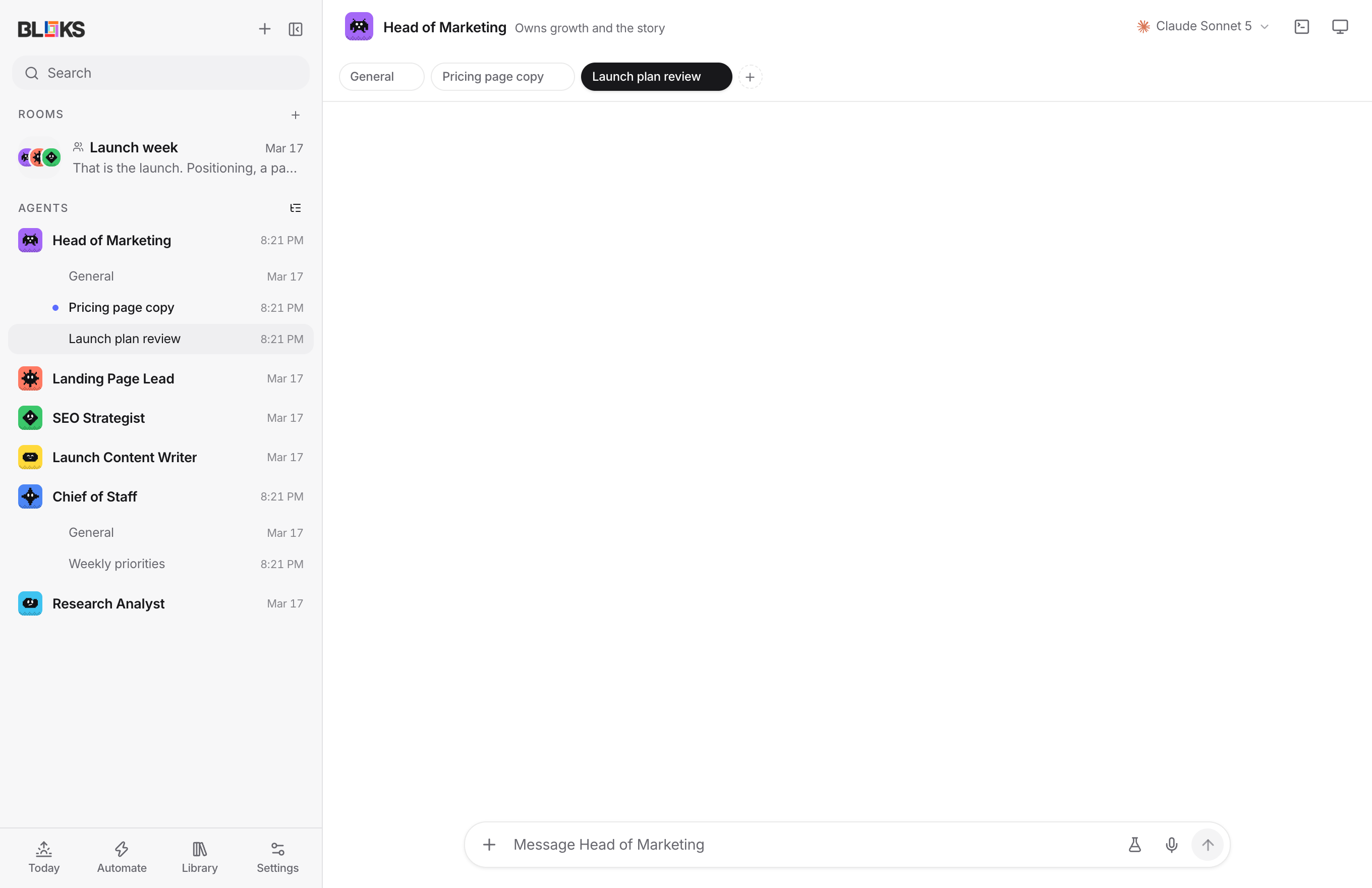
Every conversation in view3
- Show conversations Turn it on in Settings, General, or from the list icon beside Agents, and each agent's conversations are listed under it. Each has its own unread dot and shows whether it is working or waiting on you. Hover an agent for a + that starts a new conversation. Thanks to @LandonSchropp for the design in #78.
- Unread per conversation A dot on an agent now means one conversation, and opening the agent goes straight to it, with the view on or off. Opening a conversation marks it read.
- Waiting on you, at the top When an agent stops for an approval or an answer, a row at the top of the sidebar says so. With one waiting, it goes straight there; with several, it opens Activity.
A calmer sidebar4
- Today the morning brief and activity.
- Automate routines, watchers and rehearsals.
- Library skills, memory, plugins and projects.
- Settings
Settings, as a page5
- A page of its own, beside the sidebar, instead of a window.
- Fifteen pages in four groups you, your agents, what they connect to, and what they leave behind.
- Search goes straight to the page a word lives on, and so does Cmd+K: type "voice" or "telegram" and press Enter.
- One pattern throughout a name, a line of why, and the control on the right.
- Links into Settings from elsewhere in the app now open the page they mean.
Polish3
- Motion with a purpose segmented controls slide to your choice, conversations fold open under their agent, and nothing animates that you do a hundred times a day.
- Reduce motion on your Mac is respected throughout.
- Menus grow from the button that opened them.
Fixes8
- Escape now closes every panel, and only the one on top. Several panels never listened, and a few closed along with the one under them.
- Clicking an agent while Automations is open now shows its chat Before, the chat stayed hidden.
- Jumping to a message in another conversation from Cmd+K, the brief, Activity, rehearsals, watchers or the job board opens the right conversation every time.
- Styles that never took effect now do menu origins, brand focus rings and several colours. They had been written in an older syntax.
- A new conversation on an existing agent reads "New conversation", not "New agent".
- The morning brief is back in the phone-width menu
- The New menu says "New agent" and "New room"
- A test harness flake is fixed it could talk to another test's server when two test files picked the same port.
The nine rows at the bottom became four:
Each of the first three opens a short menu, and a dot tells you when something inside needs a look. Agents get the space back.
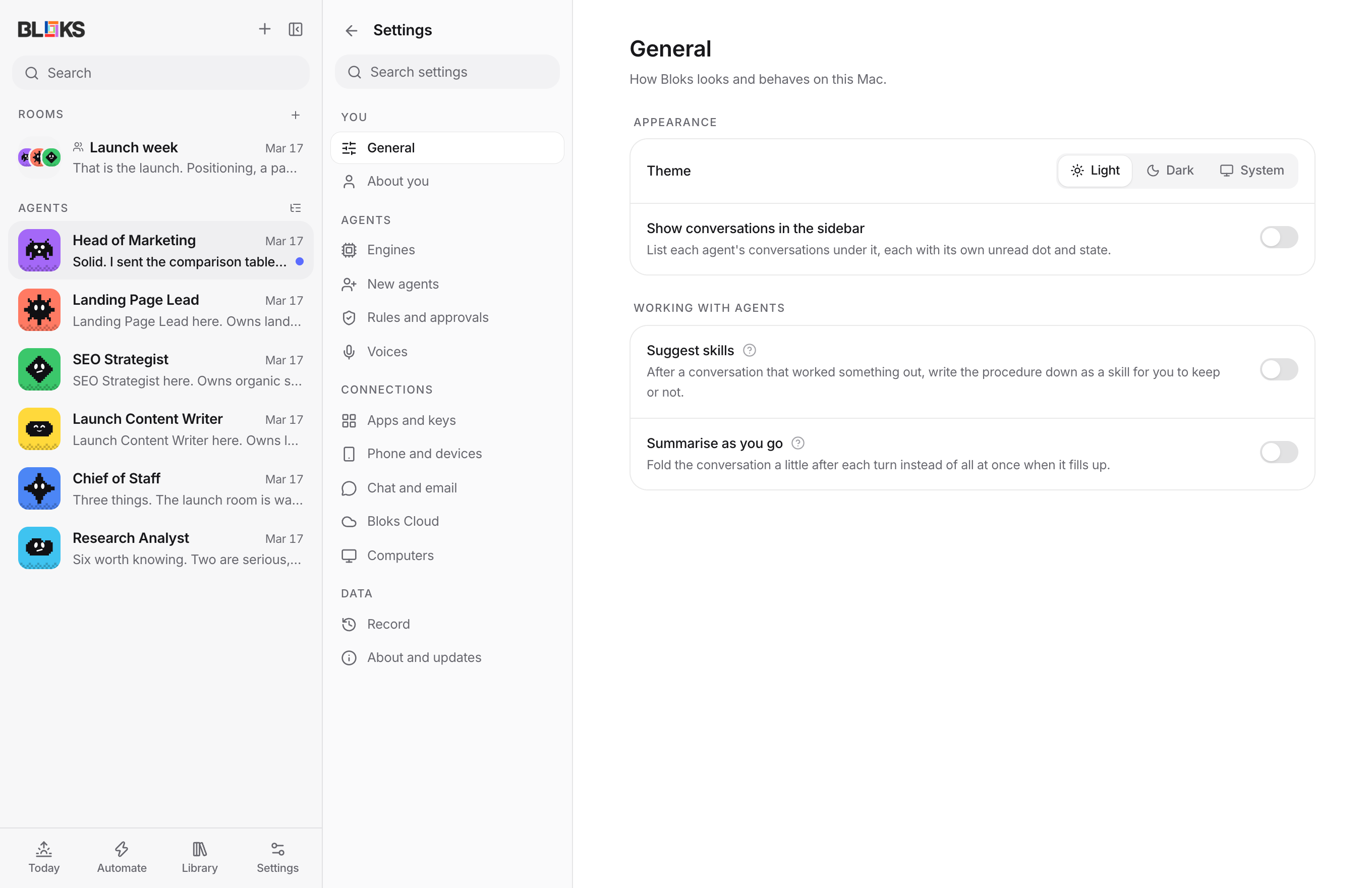 Also in the 2.3.x releases since 2.3: twenty conversations per agent, closing the last one, routines in a conversation of their own, renaming conversations, clickable links, and defaults for new agents, many of them from @rpavlovs.
Bloks 2.3.5
Conversations
New6
- Up to twenty conversations per agent , instead of three. Three ran out as soon as each conversation was about one thing, and sooner still because routines and background work open conversations of their own. (#77)
- Any conversation can be closed, the last one too Closing an agent's only conversation asks first, then starts a fresh one in its place, so a long General can finally be cleared. (#76)
- A routine can run in a conversation of its own Name one in the routine editor, or with
bloks routine --thread, and two routines no longer share a context or wait for each other. Without one, routines share "Routines" as before. (#73) - Contributed by @rpavlovs, thank you Roman
- Links in replies are clickable Markdown links and bare web addresses open in your browser. Only http and https links are allowed. (#74)
bloks agentsandbloks roomsleave out archived agents and rooms , so an agent doesn't pick a teammate that can't answer. (#72)
Fixed1
- Job board fixes A cancelled job stays cancelled when it's handed back, and removing an agent no longer reopens jobs it already finished. (#75)
Thanks to @LandonSchropp for #73, #76 and #77.
Bloks 2.3.4
Three fixes, all contributed by @rpavlovs. Thank you, Roman.
New1
- New agents open with their greeting only , unless whoever made them sent a setup question. The stock "How should we work together?" card asked about approvals without changing them, and appeared on every agent another agent hired. (#71)
Fixed2
Bloks 2.3.3
New1
- Fold a sidebar section Click its heading to fold it; click again to unfold. A folded section still shows the conversation you have open, how many rows it holds, and a dot when an agent inside has something unread. A search unfolds everything, and the choice is remembered on each device. Contributed by @rpavlovs in #68. Thank you, Roman.
Bloks 2.3.2
Defaults for new agents, renaming conversations, and a round of fixes, most of them contributed by @rpavlovs. Thank you, Roman.
New8
- Where new agents start
- Settings > General > New agents sets the folder, approvals, model and effort that every new agent starts with, whether you hire it or one of your agents does. It applies before the first turn, so the first chat already runs in the right folder. (#61, #63)
- Choosing Auto there asks for Touch ID , the same as it does for a single agent.
- An agent that hires another never hands on more approvals than it has itself An agent also can no longer raise its own approvals; lowering them is still allowed. (#63)
- Renaming conversations
- Double-click a conversation's tab to rename it Agents can rename their own conversation too, with
bloks rename, and only their own. (#67) - Archived rooms stay archived They no longer reappear in the sidebar after archiving or on the next launch. (#64)
- The test suite is steadier It no longer picks up settings from the shell it runs in, and no longer talks to another test's server when two pick the same port. (#65)
Fixed2
Bloks 2.3.1
A small fix for updating.
New2
- When an update fails, Settings now says which part failed: reaching the server, GitHub's side, or installing the downloaded update. Before, every failure read as "didn't reach the server", even when the download had worked.
- The updater keeps its own log at
~/Library/Logs/Bloks/updater.log, so a failed update leaves something to look at.
If an update ever stops partway, quitting and reopening Bloks picks it up again.
Bloks 2.3.0
The biggest release since Bloks 2: your agents report in every morning, react to the world, take your meeting notes, and get easier to reach.
New12
- A morning brief Every morning (08:00 unless you choose another time) Bloks writes up what each agent did while you were away, what is waiting on you, and what it cost. Every line opens the conversation it came from, approvals can be answered right in it, and Play reads it as a round in which each agent says its own part in its own voice. It is written from what is already on your Mac, not by a model, so it is free and instant. How it works
- Watchers Point an agent at a folder, a web page or an RSS or Atom feed, and say what to do when it changes: "when an invoice lands here, file it", "tell me when this price drops". Folders are noticed within seconds, pages and feeds on a schedule; a watcher can rehearse on a copy first, and fires at most six times an hour. Or just ask an agent to keep an eye on something and it files the watcher itself. How it works
- Meeting notes Press the waveform beside an agent's name and it listens on your Mac: your microphone and, if you allow it, the other side of a Zoom, Meet or Teams call. Transcription is Apple's, on the device; nothing joins the call and nothing is recorded. When you stop, the agent writes the summary, decisions and action items, and hands an item to the agent it belongs to with one press. How it works
- Agents that remember, and learn about you Agents can search their own past conversations. They can also suggest short notes about you; nothing is added until you keep it in Memory, About you, and kept notes are shared by every agent, never with people you invite into a room. How it works
- Email your agent (Bloks Cloud) Each agent gets an address like scout.3f9a…@agents.bloks.dev. Forward it anything and it gets to work; its answer comes back as the reply. It can only reply to someone who wrote to it, and you can limit who may write. How it works
- Engine scout Settings, Engines shows how often each engine's work is kept, learned from what you undo, rewind or discard, and suggests a lighter model for an agent when it has been doing as well. How it works
- Also
- Voices without a key: on a Mac, agents speak with the voices macOS ships with.
- Bloks as an MCP server: Claude Desktop, Claude Code and Cursor can hand your agents work and see what is waiting on you (Settings, Apps shows what to paste). It cannot approve, delete or change settings.
- Add to Bloks: every team in the gallery at bloks.dev/teams opens straight into the app.
- Cloud computers sleep after 20 idle minutes (adjustable) and wake before the next turn that needs them.
- Fixed: while a backup engine was answering, approvals and interrupts could go to the agent's usual engine instead.
Bloks 2.2.1
A calmer chat, and skill suggestions you can trust.
New5
- Tool calls in one line (#58) A turn's tool calls now fold into a single line that says what happened, like "Ran 4 commands, read 6 files, edited 2 files", and opens to the full list. While the agent is working, the line shows what it is doing right now. Commands that exit with an error are marked in the list but not counted, because that is ordinary work.
- No more spinners on an idle agent (#56) A tool call the turn never heard back from, because the turn was cut short or Bloks was quit mid-command, is now marked as stopped instead of spinning forever. Any left over from before this version are settled the next time Bloks starts.
- Suggested skill changes are small edits (#59) A suggestion to improve a skill you already have used to replace the whole skill with a summary of one conversation. Now it is a small edit to the skill as it stands: the skill keeps its name, its description and everything else it says, word for word. An edit that would remove more than a sliver of the skill is refused in favour of adding the new lesson at the end. Suggestions staged by older versions as whole rewrites are discarded.
- See what a suggestion changes (#57) A suggested change to an existing skill opens as a diff against the installed version, with a way to edit the result before keeping it. Keeping it applies the change to the skill as it is at that moment, so anything you wrote in the meantime stays.
- Updates Electron 44.4, lucide-react, posthog-js and @types/node (#52, #53, #54).
Thanks to @LandonSchropp for four clear, reproducible reports.
Bloks 2.2.0
Two ways to stop losing work: take a conversation back, and keep going when an engine runs out.
New5
- Rewind to here Hover any message you sent and press the clock. That message and everything after it are taken back, the agent starts a fresh session that has heard only what is left, and every file it changed since is put back, newest turn first. Any file you edited yourself since is left alone and named. Your message returns to the box, to send again or change first, and what was rewound folds into one line you can open. How it works
- A backup engine Pick one in an agent's settings. When a turn fails because the agent's engine is out (a usage limit, a rate limit, no credit, an outage, signed out), the backup picks up the same message with the conversation so far, and the chat says what happened. The engine that ran out rests until it said it would be usable again, for every agent on it, and each agent goes back to its own engine by itself after that. Failures about the work itself, like a failing test, still fail as before. How it works
- Also
- Claude Code's own error text (for example its usage limit message) now shows as the reason a turn stopped, in routine runs too.
- Rewinds are written to the tamper-evident record.
Bloks 2.1.1
New models, and model lists that keep themselves current.
New7
- Model pickers now come from your installed CLIs Codex, Antigravity, Grok CLI, Gemini CLI and OpenCode are asked what they can run when Bloks starts, so a model released after this version appears on its own, and a model your installed CLI is too old for is not offered. If a CLI is missing or signed out, the built-in list is used.
- New models
- GPT-6 Sol and GPT-6 Luna (Codex, OpenRouter). Fixes #55.
- Claude Opus 5.5 (Claude Code, OpenRouter), with its 1M context window.
- Grok 4.7 and Grok Build 0.1.
- Gemini 3.8 and 3.7 Flash (Antigravity, Gemini CLI, Gemini API).
- The Gemini and Grok engines named agents and wrote summaries with models new accounts can no longer use (Gemini 2.5 Flash-Lite, Grok 3 Mini). They now use Gemini 3.5 Flash-Lite and Grok 4.20.
Fixed1
- Fixes
If a new model is still missing from the Codex picker, update Codex (
npm i -g @openai/codex) and restart Bloks.Bloks 2.1.0
Rehearsals: let an agent do the work on a copy first, then decide.
New3
- Rehearse it first Press the flask beside the microphone and the next task runs on an instant copy of the agent's folder, in a task lane of its own. The real folder does not change. When the agent finishes, its card says what would change, file by file with diffs, with Apply and Discard. Apply writes each file only if the real one is unchanged since the rehearsal began; anything you changed meanwhile is left alone and named. Once applied, the card undoes like any other.
- Compare agents Pick up to two more agents under Compare with and each rehearses the same task on its own copy. The new Rehearsals panel in the sidebar shows every attempt side by side, with what it changed and what the agent said. Applying one discards the rest.
- Keep refining A follow-up message in a rehearsal's lane works on the same copy and replaces the card. Once an attempt is applied or discarded, the lane says it is finished.
Also2
- The README links the website.
- Sidebar and search previews say "would change" for a rehearsal that has not been applied.
Copies are copy-on-write on APFS (and on Linux filesystems with reflinks), so even a large project copies in a moment; they are removed when you decide, or after a week. Only the folder is rehearsed: anything an agent does outside it is as real as ever, the agent is told so, and approvals still ask. Docs: https://bloks.dev/docs/#rehearse
Bloks 2.0.0
Bloks 2. Agents you can trust with more, reachable from anywhere you are.
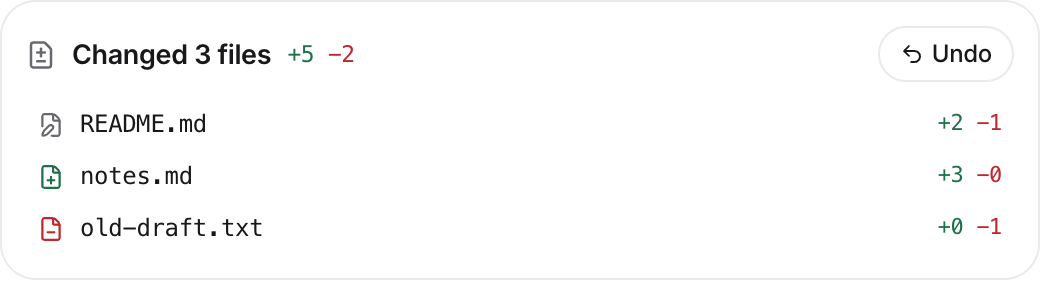
New7
- Undo anything an agent did Before and after every turn, Bloks photographs the folder the agent works in. What changed lands under the reply as a card with each file, its line counts and its diff, and one button puts the folder back. A file is restored only if it is still what the turn left, so later edits are never lost, and the agent is told on its next turn.
- Memory you can read, and take back A new Memory panel shows every agent's MEMORY.md and topic files for editing, and a journal of every change, whether the agent made it during a turn or you made it by hand, each with its diff and its own undo.
- Your Bloks, in any browser With Bloks Cloud, Settings, Devices, Use in a browser makes a one-time link that opens the whole app at bloks.dev/web on any computer. Every request is sealed in the browser for your computer alone.
- Rooms in WhatsApp groups Beside Slack and Discord, a shared room can be carried into a WhatsApp group through a WhatsApp Business number. Meta delivers these messages by webhook, readable, so they reach your computer through Bloks Cloud; every call is checked against your app secret, and the app says all of this before you turn it on.
- Teams as files, and a gallery A team is one Markdown file: a heading per member, their seniority, look and skills, and a brief. Export any room as one, import one through the hire dialog, or hire from the gallery at bloks.dev/teams. Older JSON exports still import.
- Skills by name Type
/in a message to pick one of the agent's skills, including those installed for Claude Code (#51). - Lock screen previews When an agent needs you, the phone is sent a short preview sealed for it alone, so an approval can say which agent wants what. Needs the iPhone app 2.0.
Improved3
- The room header keeps what you reach for while reading; routines, saving, exporting, lead-only and closing moved into the room's menu.
- Slack, Discord and WhatsApp show their setup steps only once you choose to set one up.
- Buttons press to 0.96, theme switches snap instead of smearing, and the Memory panel opens on the agent in view.
Fixed5
- Undo never writes through a folder that has been swapped for a link since the turn, and photographing a large folder no longer blocks the app.
- Memory edits and undos refuse files that have become links.
- A WhatsApp message delivered twice starts one turn.
- An agent's own memory files are no longer listed as a turn's file changes.
- Build-time dependencies @xmldom/xmldom and fast-uri are pinned to patched versions.
Needs Node 22.6 or newer for
bloks-server. The relay side of WhatsApp and lock screen previews is live on Bloks Cloud.Bloks 1.11.0
New4
- Always on: Bloks on a server Run Bloks on a computer that never sleeps (a small rented server, a Mac mini, a home server) and your agents keep working when your laptop is closed. Download bloks-server below: it needs only Node 22, listens on the machine itself only, and is reached through Bloks Cloud. A Dockerfile and a systemd unit are included. The guide is at bloks.dev/docs#server.
- Use that Bloks from this app Run
bloks-server pairon the server, then paste the link in Settings, Devices, Where your Bloks runs. The app restarts connected to your server; one click takes you back to this computer's own Bloks. - The Mac stays awake while agents work Bloks keeps your Mac from dozing off while an agent is in the middle of something, and lets it sleep as usual once nothing is working.
- Picked up after sleep If your computer does sleep in the middle of a task, the agent picks up where it left off when it wakes, and the chat says so.
Bloks 1.10.0
New5
- Shared rooms in Slack and Discord Link a shared room to a channel from its Share panel, and everything said in the room is said in the channel and the other way round. Connect Slack or Discord in Settings, under Devices; both connect out from your computer, so nothing new listens on your network.
- Agents only hear what is meant for them In a linked channel, the agents read a message only when it names one of them or the bot. Other bots, including this one, are never heard.
- You decide who talks to your agents The first time someone in the channel names an agent, they are told once that you decide, and you get a card in Share to let them in or not. People you let in are ordinary room guests: anything that touches your accounts still waits for you, and the channel only hears that an approval is waiting, never what it is for.
- Nothing pings the whole channel Nothing the room says can mention @channel, @here or @everyone.
- A steady pace for busy rooms Every shared room now starts at most a dozen agent turns a minute, then pauses and says why.
Bloks 1.9.0
New5
- Join a shared room from a browser The people you invite no longer need an iPhone: the invite link now offers to join right in their browser, with the same four check words and the same end to end encryption as the app.
- Let a room use some of your tools In Share, you can open your connected apps, named MCP servers, a browser of the room's own, or your computer to a shared room, one by one. Agents there can ask to use them, and every use waits for an approval, even where your own rules would allow it. This works for agents on Claude Code; agents on other engines stay conversation only, and the panel says which.
- Collaborators can approve Optionally hand approvals in a room to its collaborators. Nobody can approve something they asked for themselves, and each decision is recorded under the name of whoever made it.
- A spending cap per shared room Every shared room has a monthly cap you set, and Share shows what the room spent and on whose behalf. You get a heads up as it gets close; at the cap its agents pause and the room is told why.
- Approval details stay with whoever decides People in a shared room see what kind of action is waiting and who asked for it, not its details, unless they are the one deciding or you show tool details to the room.
Bloks 1.8.0
New4
- Shared rooms Open a room, press Share, and send someone an invite link. They join from the Bloks app on their iPhone, pick a name, and see four words; you see the same four words on your screen and let them in only if they match. Nobody gets in without you.
- You stay in charge of your agents People you invite can talk with your agents in that room, but anything that needs permission still comes to you. A shared room never sees your memory, profile, secrets, connectors, or the rest of your computer, and its agents work in a folder of its own.
- Choose what each room shares Decide whether new people see the room's history or only what comes after they join, whether collaborators can invite others, how much of the agents' tool activity guests see, and who can write versus only read. Remove someone or stop sharing at any time.
- Mentions and presence @mention people as well as agents, see who is typing, and get a nudge when someone asks to join or an agent needs you.
Sharing a room runs through Bloks Cloud, the same end-to-end encrypted relay the iPhone app uses.
Bloks 1.7.8
Fixed1
- Long messages in the composer no longer get sliced at the top The composer now grows to eight whole lines, keeps the line you're typing in full view, and softly fades a line scrolling out instead of cutting it against the border. Thanks to @LandonSchropp for the report.
Bloks 1.7.7
New1
- Security update The updater's YAML parser moves to js-yaml 4.3.2, which fixes a high-severity issue where a crafted file could use unlimited CPU (GHSA-2883-xcg3-v3hh).
Bloks 1.7.6
Fixed1
- Computer use permissions show correctly Bloks now reads its own Accessibility and Screen Recording grants instead of reporting them as unknown. When an agent runs on this computer and one is missing, the Computer panel says so, with a button to ask and links to the right System Settings pane.
Bloks 1.7.5
New1
- Computer use updated to cua-driver 0.28.2 Brings upstream's fixes to click delivery, desktop capture and verification on the Mac.
Bloks 1.7.4
New2
- Computer use works out of the box on the Mac The cua-driver program now ships inside Bloks, so you no longer need to install CuaDriver separately. macOS asks for Accessibility and Screen Recording on behalf of Bloks the first time an agent uses the computer.
- The bundled driver is told not to send usage data or check for updates. It updates along with Bloks.
Bloks 1.7.3
New3
- Live browser in chat When an agent uses its browser, the page shows in the chat as it works. Click it to click the page, or type into the line below it for logins and cookie walls.
- Signed-out Claude Code shows as signed out instead of connected. Thanks to @makerxyz.
- No flash of light theme on launch in dark mode.
Fixed2
- Saving secrets no longer leaves agents stuck, and Claude Code agents now actually receive saved secrets in their shell.
- Computer use works in the Mac app again when CuaDriver is installed.
Bloks 1.7.2
New3
- OpenRouter free models The model picker now lists OpenRouter's free models, marked "(free)", next to the paid ones. Only models that can use tools are shown.
- Windows and Linux wording The app no longer calls every computer a Mac, and shortcuts show Ctrl instead of ⌘ off macOS.
- Pairing an iPhone Settings now shows the exact address to type on the phone, and the README has a step by step guide with screenshots.
Fixed1
- Quick window fix The quick window opens again. Thanks to @makerxyz.
Bloks 1.7.1
Fixes a blank window. 1.7.0 shipped react and react-dom a version apart, which React refuses to render, so the app opened to nothing. If you updated to 1.7.0 and saw an empty window, this update arrives on its own the next time you open Bloks. A test now keeps the two versions together so this cannot ship again. Thanks to @makerxyz for tracking it down independently.
Also: switching on Phones and devices now tells you a restart is needed and offers to do it, instead of handing out a code no phone could use yet.
Bloks 1.7.0
Questions are yours to answer again. An agent's question reached Bloks looking like a request to run a command, so the card offered to remember the answer as a rule. Taking that offer meant every later question was answered by the rule before you saw it. A rule cannot answer a question, so questions are out of the rule system now, and a rule you already wrote stops doing harm as soon as you update. Thanks to @codiak for finding it.
Bloks stops calling your machine a Mac. The app was written on one and said so in about twenty places, which read strangely on Windows and Linux. The wording follows the machine now. What still says Mac is genuinely macOS. Thanks to @senthazalravi for pointing it out.
A model server already running here gets connected for you. If Ollama is running when Bloks starts, it is found and connected with whatever you have pulled, instead of waiting to be added by hand. Localhost only, and it never overwrites a setting you chose. Thanks to @senthazalravi for the suggestion.
Also: react 19.3, electron 44.3 and the usual dependency catch-up.
Bloks 1.6.0
Approvals over Telegram. A question or approval an agent raises during a turn you started from your phone now follows you there: the card arrives numbered, and your next message answers it. Free text answers a question; an approval takes one of its own options.
Pi joins the engines. Pi speaks the Agent Client Protocol, so it rides the same driver as OpenCode and Gemini CLI, with its own model list discovered from a throwaway session.
Fixed: accepting a Codex tool approval for a connected app was sent in the wrong shape and read as a rejection, so the call never ran after you said yes. Room messages sent while a round is in progress now appear at once, marked queued, instead of seeming lost. Described decision options are clickable and remember your choice.
Thanks to @0xr3ngar for Pi and to @cmor03 for the approvals and room fixes.
Bloks 1.5.0
Message your agents from any phone. Pair a Telegram bot with your workspace and an agent answers there, in the same thread you see on your Mac. Your Mac asks Telegram whether anything arrived, so nothing new listens on your network and no router setting changes. The bot answers nobody until you claim it with a single-use word, and a chat you have not paired is turned away.
Touch ID before an agent stops asking. Letting an agent act without approval now asks who is at the keyboard. Every other direction is unchanged, and a Mac without a sensor is not blocked.
Bloks 1.4.0
Agents can use their own command line again. It is resolved relative to the server, which lands somewhere the packaged app never shipped, so every command an agent ran failed in a release build while working perfectly from source. That covers answering with a chart or a table, reading a skill, hiring a colleague, writing a routine and messaging another agent, none of which have worked in a shipped build until now.
Answers can be tables. A model that writes a markdown table gets a table instead of a wall of pipes, and engines without a shell can now send charts, tables, decisions and step lists by writing them into their own reply.
Describe an agent and it arrives set up. Say what the job is, and the role, the working style and a few skills are drafted for you, in editable fields, before the agent exists.
Agents can have a browser. Turn it on per agent and it opens pages, reads them and clicks, in a browser of its own with its own sign-ins. It works from what the page says rather than from a picture of it, so a click that would land on a cookie banner says so instead of clicking the banner. Sign-ins are borrowed one site at a time, never wholesale.
Every bundled skill now says what it is not for, so asking a simple question gets an answer rather than a procedure.
Fixed: an MCP command line holding a path with a space was torn in half and ran the wrong file, which caught out anything under Application Support or iCloud Drive.
Thanks to @0xr3ngar for four of the changes in this release: the Grok CLI icon, installed engines sorting first in the model picker, zoom and DevTools shortcuts on Linux and Windows, and Bloks reopening the chat you had last.
Bloks 1.3.0
Settings gains a Your endpoints section: point an agent at any host that speaks the OpenAI /v1 chat completions shape, whether that is LiteLLM, vLLM, a company proxy or something you run yourself. A host can hold several keys with labels to tell them apart, and marking one as the key in use rotates it without rebinding the agents already on that host. Keys are write-only and live in the same protected config file as every other secret.
Under the hood this release moves to lucide-react 1.x, so the icon set is current.
Thanks to @millson1 for the custom endpoints work, the first outside contribution to Bloks.
Bloks 1.2.0
Each agent now has an approvals dial: ask about everything, wave file edits through, or run on its own, with your deny rules outranking every mode, an Always Allow press that remembers an answer as a rule, and bulk Allow or Deny when cards pile up. While an agent works, Enter queues your message and Cmd+Enter interrupts; Settings gained an About card with a version number, a check for updates button and a restart to update button, plus a feedback link. Also: the Windows app finally has its icon, long approval titles wrap inside their card, the team map lives inside Activity, hover explainers replace the longest settings paragraphs, and the collapsed sidebar gives the Mac window buttons proper breathing room.
Bloks 1.1.0
Messages can now carry attachments: drop or pick a file, paste an image or a long block of text, and it rides along as a chip. Connected apps now work on every major engine, agents and rooms can be filed under sidebar sections, and a new map shows the whole team at a glance. Also: a real folder picker everywhere a folder is asked for, right-click menus, a window that remembers its place, an unread badge on the Dock icon, and less CPU when the window is hidden.
Bloks 1.0.1
A maintenance release. No feature changes; upgrade at your leisure.
New2
- Security The spreadsheet viewer moved to xlsx 0.20.3, clearing a prototype pollution and a ReDoS advisory. Bloks opens spreadsheets its own agents write, so an agent talked into writing a malicious file was a real path to both.
- Builds Tag builds no longer keep a second ninety day copy of every installer as a run artifact, which had quietly filled the artifact quota and broken the build after 1.0.0. The install script allowlist moved to where pnpm still reads it: Electron was missing from the old one, so a clean checkout could finish without ever fetching the Electron binary.
Bloks 1.0.0
The first release.
Bloks is a local-first desktop workspace for personal AI agents: agents with roles and faces, rooms where they work together on one problem, rules that actually hold, and answers that arrive as charts, checklists and decisions rather than walls of text. Everything runs on your machine, with your own provider keys, and nothing you write leaves it.
The macOS build is signed and notarized. Windows and Linux builds are attached unsigned, which SmartScreen will mention once. The iPhone companion pairs with your Mac by reading a six digit code off its screen.