


All comparisons
BloksGrok Bot

Checked 6 November 2026 · Sources

Bloks vs Grok Bot

Grok Bot gives you named, always-on agents that work on a cloud computer xAI runs for you. Bloks agents live on your own machine, on the engines you pick, with memory in files you can read.

See it topic by topic

The short answer

Which one is for you

Choose Bloks ifOur pick

  • You want to pick the model each agent runs on, and see it: Claude Code, Codex, the Grok CLI and more.
  • You want undo, and memory as files you can read and edit.
  • You want your agents, their conversations and their memory on your own computer.
  • You want to reach agents on Telegram, Signal, Discord, WhatsApp or email.

Choose Grok Bot if

  • You want agents that keep working on a cloud computer while every device you own is off.
  • You want apps on iPad and Android as well as iPhone, and Bots you can tag on X.
  • You want a vault that keeps passwords and card numbers away from the model.
  • You already pay for X Premium or above, which includes it.

At a glance

Topic by topic

Bloks ahead · 6Even · 6Grok Bot ahead · 3

Topic
What it isA desktop app for Mac, Windows and Linux. Each agent is a contact; a team is a room.Named, always-on Bots for ongoing jobs, each working on a cloud computer with a browser, files and a terminal. In beta.
Where agents runYour machine, a Docker container or another machine over SSH, a server of yours, or managed hosting.One cloud computer per person, in the US, shared by all your Bots; it can run commands on your desktop, asking each time.
When your computer is offAgents pause, unless they run on a server of yours or on managed hosting.Bots keep working with your devices closed, routines included.Better
ModelsEach agent picks its engine: Claude Code, Codex, Gemini CLI, Cursor, the Grok CLI and more, any OpenAI-compatible host, and Ollama.BetterNo model picker: the service chooses a model for each task and does not say which. Your own keys and local models are not published.
ApprovalsAgents ask before acting unless you choose otherwise; rules in a sentence.Allow once, always or deny, plus ask-first rules; a review model screens risky actions.
UndoUndo any change an agent made, rewind a conversation, or branch it from any answer.BetterNone; approving a step does not reverse work already done.
Passwords and cardsA password or card number in the agent's browser always asks you first.A vault and secure forms keep passwords and card numbers away from the model.Better
MemoryMarkdown files you can read and edit: MEMORY.md and a folder of notes, with every change undoable.BetterPreferences, facts and a dated work log, with no memory screen: you ask in chat to see, fix or forget.
Teams of agentsRooms with a lead who speaks last; agents message each other and hire help with your yes.Group chats of two to six Bots that hand work to each other; shared Team Bots in Slack on the Teams and Enterprise plans.
Routines and triggersRoutines, watchers on folders, pages and feeds, app watchers and signed webhooks.Routines on a schedule or on events from Slack, GitHub, Linear, email and webhooks, up to 50 per Bot.
Chat appsTelegram, Signal, Slack, Discord, WhatsApp groups and email.BetterIts own apps, X Chat, tagging the Bot on X, and Slack. Telegram, WhatsApp and SMS are not published.
Phone and desktop appsDesktop apps for Mac, Windows and Linux, and an iPhone and Apple Watch app; Android is coming.Apps for Mac, Windows, Linux, iPhone, iPad and Android, plus X Chat on the web.Better
Your dataConversations, memory and files stay on your computer, in plain files. Bloks has no backend that holds them.BetterKept in the cloud; training follows your Cursor privacy settings, and files and sign-ins can outlive a deleted Bot.
PriceFree with your own AI. Paid plans add reach from anywhere, people and an included AI.In the X Subscription: Premium $30, Super $100 or Ultra $200 a month. Needs a Cursor account.
LicenceSource available (FSL): free for any use except selling Bloks; each release becomes MIT after two years.BetterA hosted service under its own terms; no code is published.

Your computer, or their cloud

Bloks

Bloks agents live on your computer. Their conversations, memory and files sit in plain files in a folder of yours, and Bloks has no backend that holds them. Work that should not touch your machine can run in a Docker container or on another machine over SSH, and an agent can be given a computer of its own: a cloud box or a Local VM.

The other side of that is that agents pause when your computer does, unless they run on a server of yours with bloks-server, or on managed hosting.
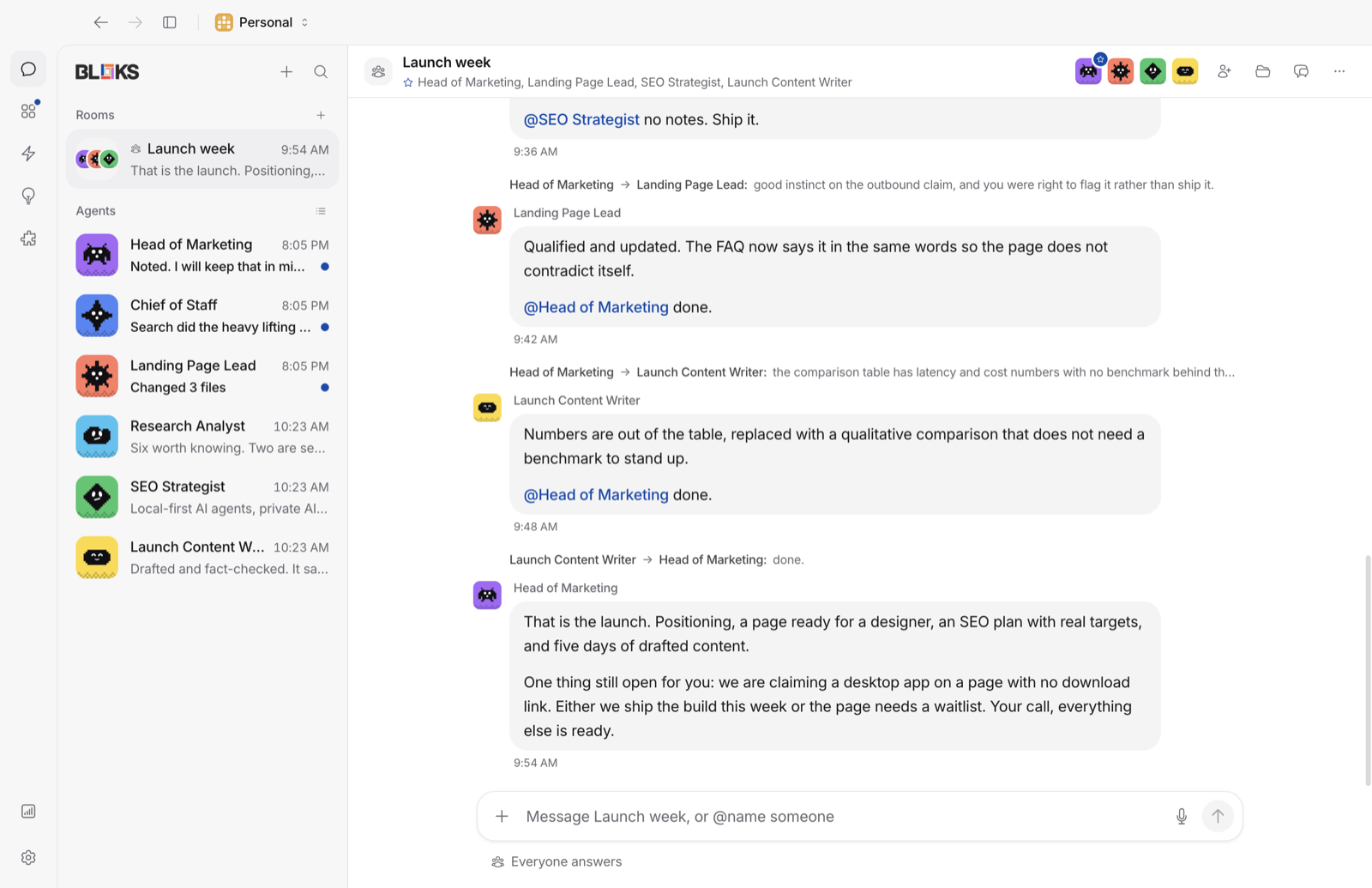
Bloks on a Mac: agents in the sidebar and a conversation open

Grok Bot

Each Grok Bot works on a persistent cloud computer with a browser, files and a terminal, hosted in the US on Cursor's infrastructure. All your Bots share that one computer. It carries on with your devices closed, routines included, and it can run commands on your own desktop if you let it, asking each time by default.

Models: your pick, or theirs

BloksBetter

Each agent in Bloks picks its engine: Claude Code, Codex, Gemini CLI, Cursor, the Grok CLI and more, any OpenAI-compatible host, or a local model through Ollama. Bloks shows which engine each agent runs on, an agent can switch from a dropdown, and a backup engine takes over when one hits a limit. If you like Grok, the Grok CLI or a Grok key is one of the choices.
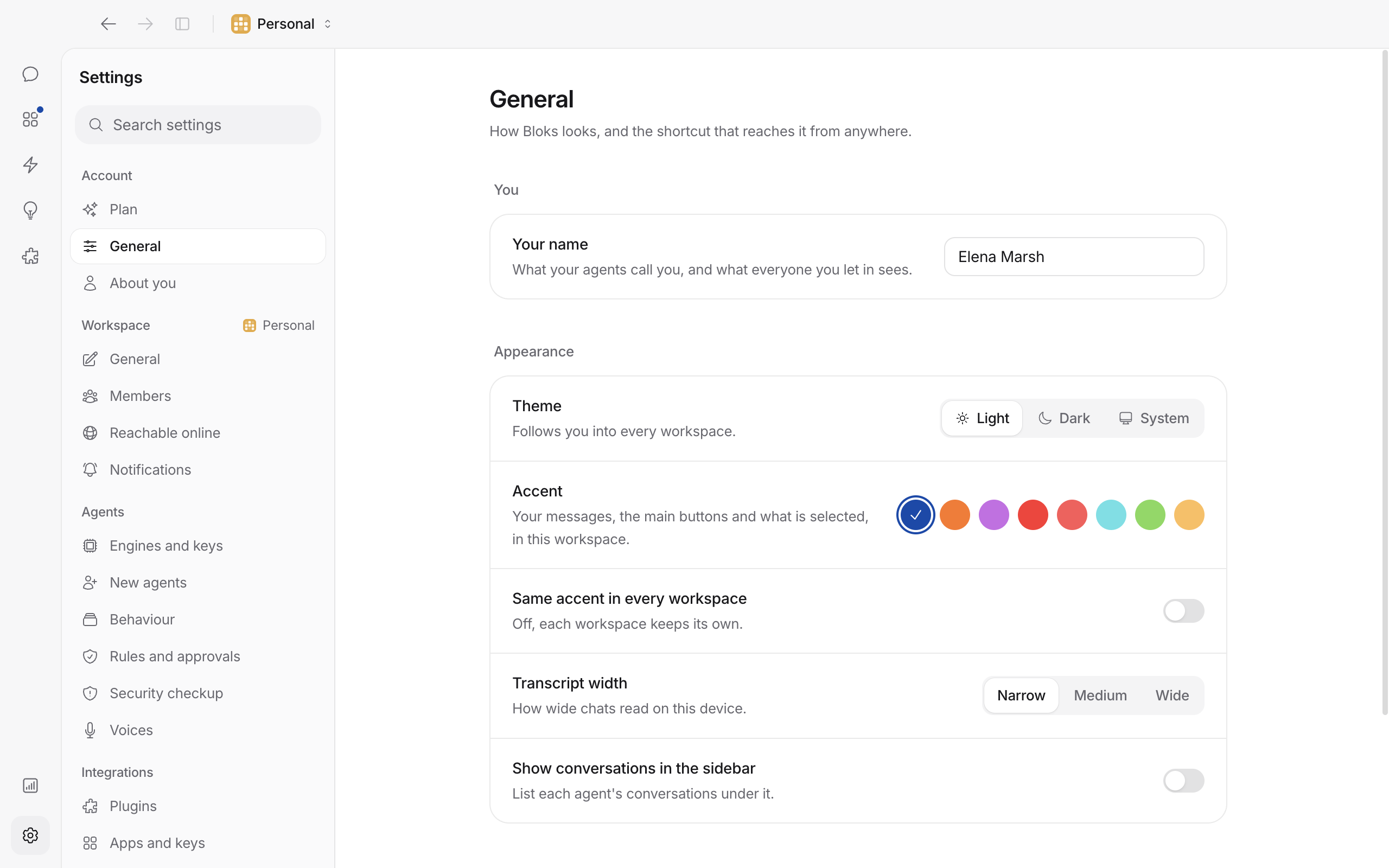
Settings, Engines and keys in Bloks: Claude Code connected, the other engines one button away

Grok Bot

Grok Bot has no model picker. The service chooses xAI's own or other makers' models for each task, and does not show which one did the work. Bringing your own key, or running a local model, is not published.

Safety, secrets and undo

Bloks

An agent in Bloks asks before it acts, unless you tell it not to, and you can write a rule in a sentence ("never push to main"). Anything it changes in your files can be undone, a conversation can be rewound, and any answer can be branched to try another way. In the agent's browser, a password, a card number or a file to upload always asks you, whatever the mode.
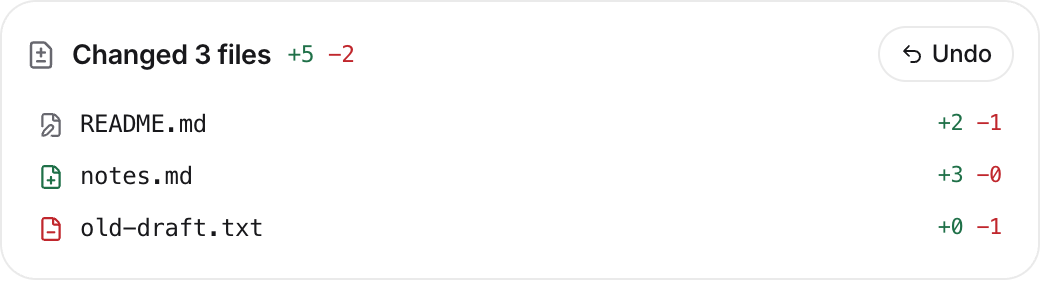
A changes card in Bloks: the files an agent changed, each one with Undo

Grok Bot

Grok Bot has careful approvals: allow once, always or deny, ask-first rules, a review model that screens risky actions, and approvals that lapse after about half an hour when nobody answers. Its vault and secure forms keep passwords and cards away from the model, and Enterprise adds network allowlists and audit logs.

There is no undo: approving a step does not reverse finished work. And Bots on one account share files and sign-ins, which xAI says is not a security boundary.

Where Grok Bot is ahead

Bloks

Bloks for Android is coming, but not out yet. The iPhone app is a window onto your computer, so nothing runs on the phone itself, and agents stay on when your laptop is closed only on a server of yours or on managed hosting.

Grok BotBetter

Grok Bot has apps for all three desktop systems, iPhone, iPad and Android, and lives in X Chat, where you can also tag it on X. It works with every device off, Team Bots take a shared role with their own Slack handle and a memory for each person, and you can record up to ten minutes of browser work to make a skill. If those matter most, they are real reasons to pick it.

Meet your team in a minute

Free with the AI you already use. Your agents, their memory and their work stay on your machine.

Questions

Bloks and Grok Bot: questions

Is Bloks a Grok Bot alternative?

Yes. Both give you named agents for ongoing work. Grok Bot runs them on a cloud computer xAI hosts; Bloks keeps them on your own machine, on the engines you pick, with undo and memory in files you can read.

Can I use Grok in Bloks?

Yes. Bloks installs the Grok CLI with one button and runs it on your Grok sign-in, or uses a Grok key you paste in Settings. Claude Code, Codex and the other engines sit beside it.

Which model does Grok Bot use?

It does not say. The service picks a model for each task, from xAI or other makers, and does not show which. In Bloks you choose each agent's engine and can see it.

Can I see and edit what it remembers?

Grok Bot has no memory screen: you ask in chat to see, fix or forget things. In Bloks, memory is Markdown files you can open and edit, with a journal of every change and an undo.

Does it keep working when my computer is off?

Grok Bot does, on its cloud computer. Bloks agents pause with your computer, unless they run on a server of yours with bloks-server, or on managed hosting.

What does each cost?

Grok Bot comes with the X Subscription on Premium ($30 a month), Super ($100) and Ultra ($200), and needs a Cursor account. Bloks is free with your own AI; paid plans add reach from anywhere, people and an included AI.

Sources

Every claim about Grok Bot on this page was checked against its own pages on 6 November 2026. Products change: if something here is out of date, tell us at bloks.dev/support and we will fix it.

  1. xAI: introducing Grok Bot
  2. Docs: overview
  3. Docs: FAQ
  4. Docs: security
  5. Docs: chat and collaboration
  6. Docs: Bots and memory
  7. Docs: skills, routines and automations
  8. xAI: Team Bots
  9. xAI: Grok Bot for Enterprise
  10. X Subscription pricing
  11. xAI: the X Subscription
  12. Cursor: Grok Bot plans
  13. Grok Bot terms

More comparisons

Meet your team.

Free for Mac, Windows and Linux. Bring the AI you already have.

View on GitHub