

 Bloks
 OpenClaw
Checked 6 November 2026 · Sources
Bloks vs OpenClaw
Two ways to keep AI agents on your own machine. OpenClaw is a self-hosted gateway you talk to through chat apps; Bloks is a desktop app your agents live in, with your phone in your pocket.
- Bloks ahead on 4
- OpenClaw ahead on 3
- Even on 7
The short answer
Which one is for you
Choose Bloks ifOur pick
- You want an app, not a gateway to configure: install, sign in to the AI you already use, hire an agent.
- You want to undo what an agent did, rewind a conversation, and have agents ask before they act.
- You already pay for Claude Code or Codex and want your agents to run on that plan.
- You want an iPhone and Apple Watch app that works out of the box, at home or away.
Choose OpenClaw if
- You live in chat apps and want the widest list: 33 of them, including iMessage, Matrix and WeChat, and phone calls.
- You want an MIT licence and no paid tier at all.
- You want the biggest community and plugin ecosystem in this space.
- You are happy running a service from the command line and editing its config files.
At a glance
Topic by topic
BloksOur pickOpenClawSetup and everyday use
BloksBetter
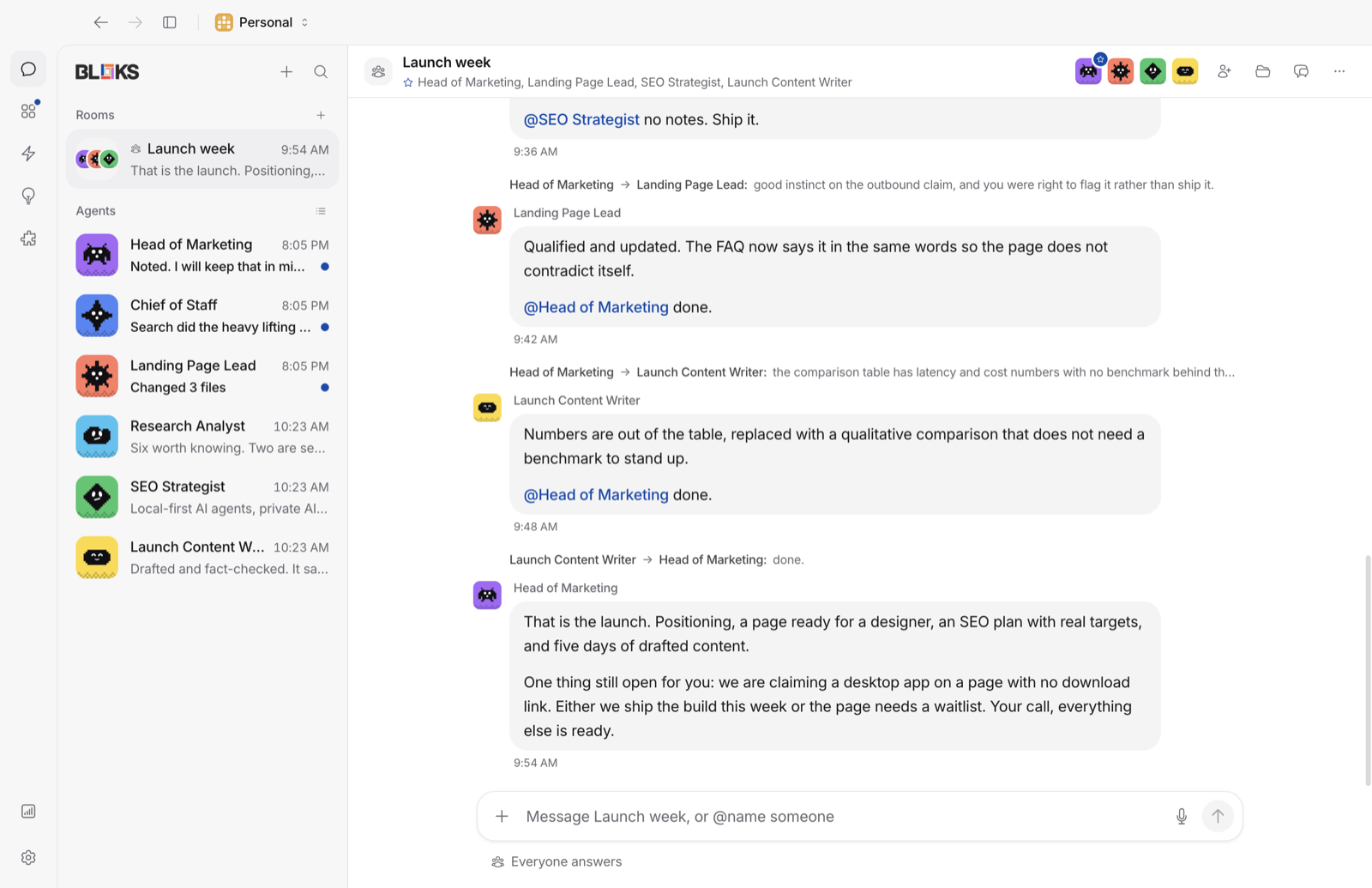
Bloks is an app. You download it, and its first run checks for the AI tools on your machine: Claude Code, Codex, Gemini CLI and the rest install and sign in from one button each. Then you hire an agent, give it a name and a job, and talk to it the way you would message a colleague.
Everything after that is in the window: settings, approvals, the agent's browser, its memory and its files.
OpenClaw
OpenClaw is a gateway, a service you run, with menu bar and companion apps around it. You install it from the command line, set it up as a service on your Mac, Linux machine or a server, and configure providers, channels and tools in its config.
That suits people who like to run their own services, and it is what lets OpenClaw sit behind so many chat apps.
Safety, approvals and undo
BloksBetter
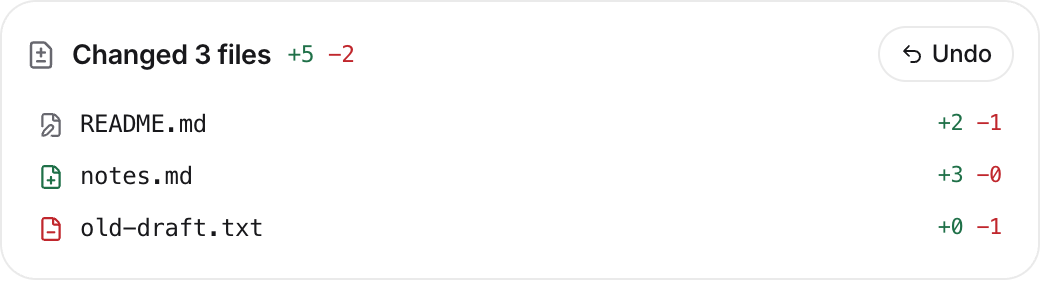
An agent in Bloks asks before it acts, unless you tell it not to. You can write a rule in a sentence ("never push to main"), and every change it makes to your files can be undone. A conversation can be rewound, or branched from any answer to try another way.
When work should not touch your machine at all, an agent can run in a Docker container or on another machine over SSH.
OpenClaw
OpenClaw has a careful set of exec policies (deny, allowlist, ask, auto and full) and approvals from chat, its control UI or its apps. But its gateway and node hosts default to full access, and its own docs describe sandboxing as opt-in and not a hard boundary.
Its docs do not describe undoing what an agent changed.
Chat apps and your phone
Bloks
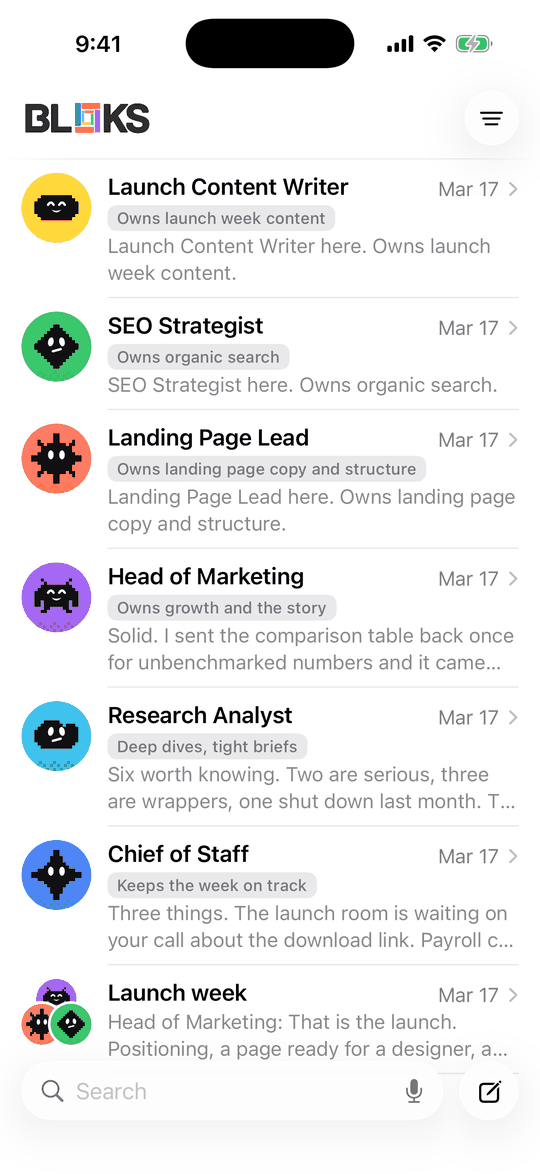
Bloks reaches you on Telegram and Signal, carries a room into Slack, Discord or a WhatsApp group, and gives each agent an email address. The iPhone and Apple Watch app is the main way in when you are away: it works on your own network, and anywhere with Bloks Cloud, which carries traffic sealed end to end.
OpenClawBetter
Chat is OpenClaw's home ground. It speaks 33 channels, from WhatsApp and Telegram to iMessage, Teams, Matrix and WeChat, and with its Voice Call plugin it can answer the phone. Its iOS and Android companion apps add camera, location and voice, paired to your own gateway.
Price and licence
Bloks
Bloks is free with your own AI, with no limit on agents, and never stops working without a plan. Paid plans add reach from anywhere, people in your workspaces and an included AI; see pricing. Its source is public under the Functional Source License: free for any use, including at work, except selling Bloks or something like it, and every release becomes MIT two years after it ships.
OpenClaw
OpenClaw is MIT licensed and has no paid tier, hosted service or account. You pay only your model providers. If an MIT licence today matters to you more than anything on this page, OpenClaw is the clear pick.
Switching
Bring your OpenClaw agents across in a minute
Bloks reads an OpenClaw setup from your home folder: its agents, their instructions and memory, skills, MCP servers and chat channel settings, and shows you each item before anything is added. Keys and passwords are never copied unless you say so, and the whole import can be undone.
Meet your team in a minute
Free with the AI you already use. Your agents, their memory and their work stay on your machine.